Generative AI Showcase

Real-world applications of generative AI in creative workflows.

Topics

AI Video Generation

  • Dream Machine: Turn text or images into realistic video clips
  • ChatGPT: Come up with creative video ideas quickly
  • Video Settings: Adjust aspect ratio, style, and camera movement
  • Advanced Features: Create videos faster with Fast Mode

AI video generation has changed dramatically in the past year. Tools like Dream Machine from Luma AI now create clips that would have been impossible just months ago.

We use Luma AI extensively in our djabxk project to create music videos and visual content.

Try Luma AI
Create AI-generated videos with Dream Machine

What Is Dream Machine?

Dream Machine by Luma AI takes text descriptions or images and transforms them into realistic video clips.

Tips for Better Results

  • Write detailed prompts: The more specific you are, the better your results will be.
  • Experiment with camera movements: Simple pans or zooms make videos look more cinematic.
  • Create several versions: You might discover unexpected results that look great.

AI Speech & Voice

  • Build your own voice model — Train an AI to sound exactly like you.
  • Use it anywhere — Create narration, voiceovers, or character voices without recording.
  • Control how it sounds — Change tone, speed, and even language.

AI voice cloning makes it possible to have your own voice read scripts perfectly—no microphone, no mistakes, and no background noise.

We use voice synthesis in our djabxk project for spoken word segments and audio branding.

Our Voice Cloning Tool

For all our voice projects, we use ElevenLabs. Check our Tools page for the complete list.

AI Image Generation

  • Choose the right tools — Find AI platforms that create realistic portraits.
  • Write better prompts — Learn how to describe faces clearly for great results.
  • Avoid common problems — Fix issues like strange eyes, extra teeth, or odd skin.

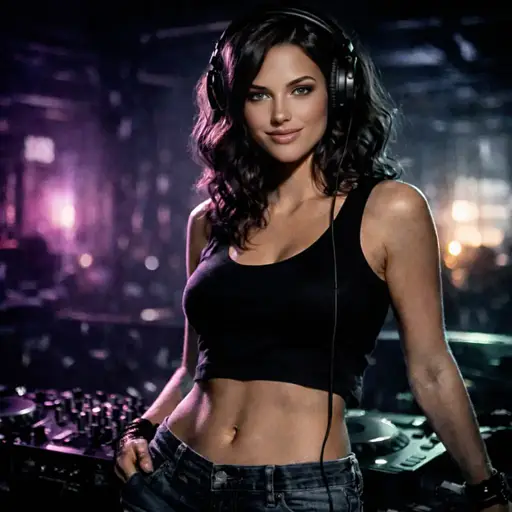
AI image generation has evolved from creating blurry, distorted faces to producing photorealistic portraits.

For our HweenX Halloween showcase, we tested multiple image generators to find the best approach.

For image generation, we use Luma AI. See our Tools page for the complete list.

AI Music Generation

Quick Summary:
  • Suno.com — Make professional-quality music in seconds with AI
  • Lyrics Editor: Write and structure your own songs
  • AI Integration: Use Suno with ChatGPT for even better results

AI music generation has reached a level where the output sounds genuinely professional. Suno creates complete songs with vocals, instruments, and production.

Our djabxk project relies heavily on Suno for generating music ideas and complete tracks.

Try Suno
Create AI-generated music with vocals, instruments, and production

Check our Tools page for the complete audio production toolchain.

AI DJing

Take your DJ sets to the next level with AI-powered tools. This section covers both the technical foundations and our practical experience from the djabxk project.

What Is AI DJing?

AI DJing combines traditional DJ skills with machine learning to automate repetitive tasks and enhance creative possibilities.

  • AI-assisted track selection based on energy and mood
  • Automatic beat matching and tempo alignment
  • Smart transitions with crossfades and effects
  • Building dynamic DJ sets with consistent flow

Tools We Use

For djabxk, we use DJ.Studio to structure and mix AI-generated music into cohesive DJ sets.

Explore our Tools page to see the complete toolkit we use for AI-powered music and DJ production.

Ready to Get Started?

Try the tools we use and start creating with AI today.

Explore Our Tools