

An AI tool at work does not know your business. It knows what you give it: the customer records in your CRM, the articles in your help center, the numbers in your reports. If that data is wrong, the AI repeats the mistake quickly, confidently and every time someone asks.
This is part 4 of Level 0 in our AI Work learning path. Part 2 showed which data each department’s AI needs. Now you will learn why the quality of that data matters even more with AI, how to recognize good data, how to keep a CRM clean and how to prepare documents so that a chatbot can use them. At the end, you get a four-week plan with quick wins.
Garbage in, garbage out — now at scale
People in IT have an old rule: garbage in, garbage out. A computer’s results are only as good as the data you feed it. With AI, this rule matters even more, for three reasons.
First, AI hides bad data behind good language. A report with a wrong number at least looks like a table you can check. An AI answer built on outdated data sounds just as fluent and confident as a correct one.
Second, AI repeats a mistake at scale. One outdated help article can lead to the same wrong answer in hundreds of customer chats before anyone notices.
Third, AI combines data from several sources. If your CRM and your shop disagree about a customer’s address, the AI may pick either one, and the customer sees the contradiction.
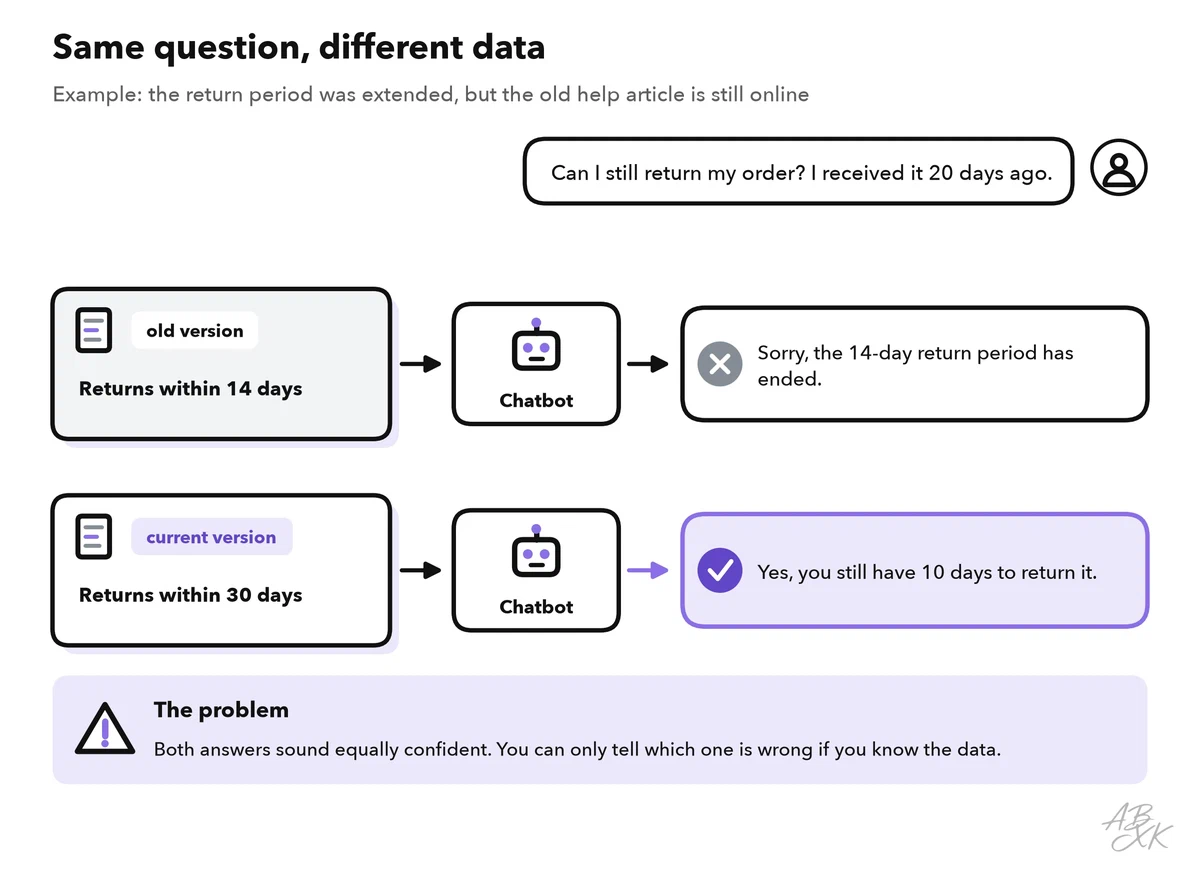
Here is a typical example. A company extends its return period from 14 to 30 days, but the old help article stays online next to the new one. The chatbot finds the old article and tells a customer that the return period is over.
Four signs of good data
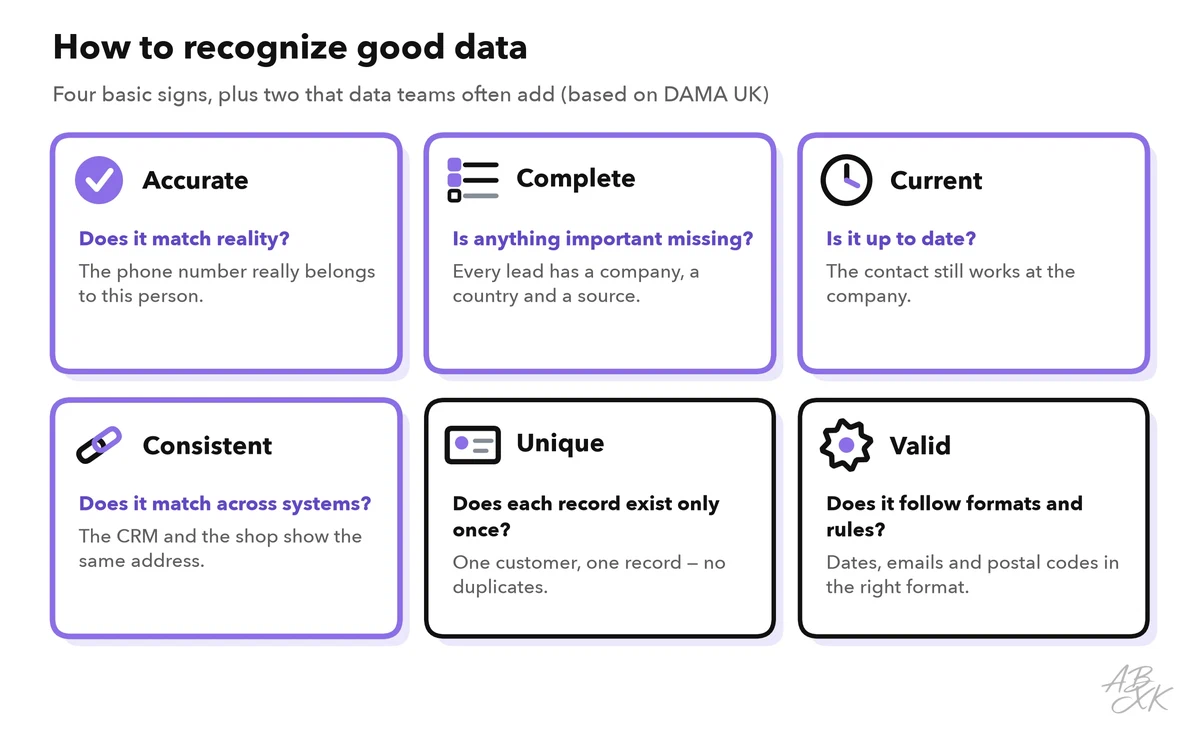
How do you know whether your data is good enough for AI? Four questions cover most problems:
| Sign | Test question | What goes wrong with AI if it is missing |
|---|---|---|
| Accurate | Does it match reality? | The AI repeats wrong facts, such as an old price |
| Complete | Is anything important missing? | The AI guesses or leaves gaps, for example when a lead has no industry |
| Current | Is it up to date? | The AI writes to a contact who left the company |
| Consistent | Does it match across systems? | The AI gives different answers depending on the source it reads |
Data teams often check two more signs: unique (each customer exists only once, with no duplicates) and valid (dates, email addresses and postal codes have the right format). These six signs come from a widely used guide by DAMA UK, an association of data management professionals (Source: DAMA UK, The Six Primary Dimensions for Data Quality Assessment, 2013).
Keep your CRM clean
For sales and customer service, the CRM is the most important data source. AI features read it to suggest which leads to call, to personalize emails and to summarize a customer’s history. A messy CRM makes all of these worse. The four most common problems are easy to spot:
| Problem | What the AI does with it | Quick fix |
|---|---|---|
| Duplicate records | Sends the same person two emails, counts a customer twice | Merge duplicates; search before you create a new record |
| Empty fields | Cannot sort or score the lead | Make a few key fields required |
| Outdated contacts | Writes to people who have left | Remove bounced addresses; review old contacts regularly |
| Free text everywhere | Cannot group or compare records | Use drop-down lists for industry, stage and source |
Data enrichment tools fill gaps automatically. They add missing details, such as a company’s size or a contact’s business email. According to the vendors, FullEnrich queries more than 20 data providers one after another, and Lusha provides B2B contact and company data that connects to common CRMs. Enrichment helps, but it does not replace care. Check how current the data is, and remember that business contact details are personal data: you remain responsible under data protection law for what you store and use.
Dashboards help you spot data problems early. A sudden jump in “new customers” can mean real growth — or a wave of duplicates. Here are three tools from our comparison for AI Work for enrichment and reporting:



Short descriptions from our tool comparison, based on the vendors' information — not tested by ABXK.
When AI features write back into the CRM, for example call notes or new contacts, data quality becomes a daily task. Level 3 explains how to connect AI with your CRM and help desk without creating new chaos.
Documents are knowledge for bots
Chatbots and AI assistants that answer questions about your business do not simply “know” your policies. Many of them first search your documents for the passages that fit the question and then write an answer based on those passages. Experts call this retrieval-augmented generation, or RAG. The consequence is simple: the bot can only be as good as your help center, your policies and your product sheets.
Five rules make documents ready for bots:
- One topic per document, with a title that sounds like the customer’s question.
- The answer first, details after.
- An owner and a date on every document, so everyone knows who keeps it correct and how old it is.
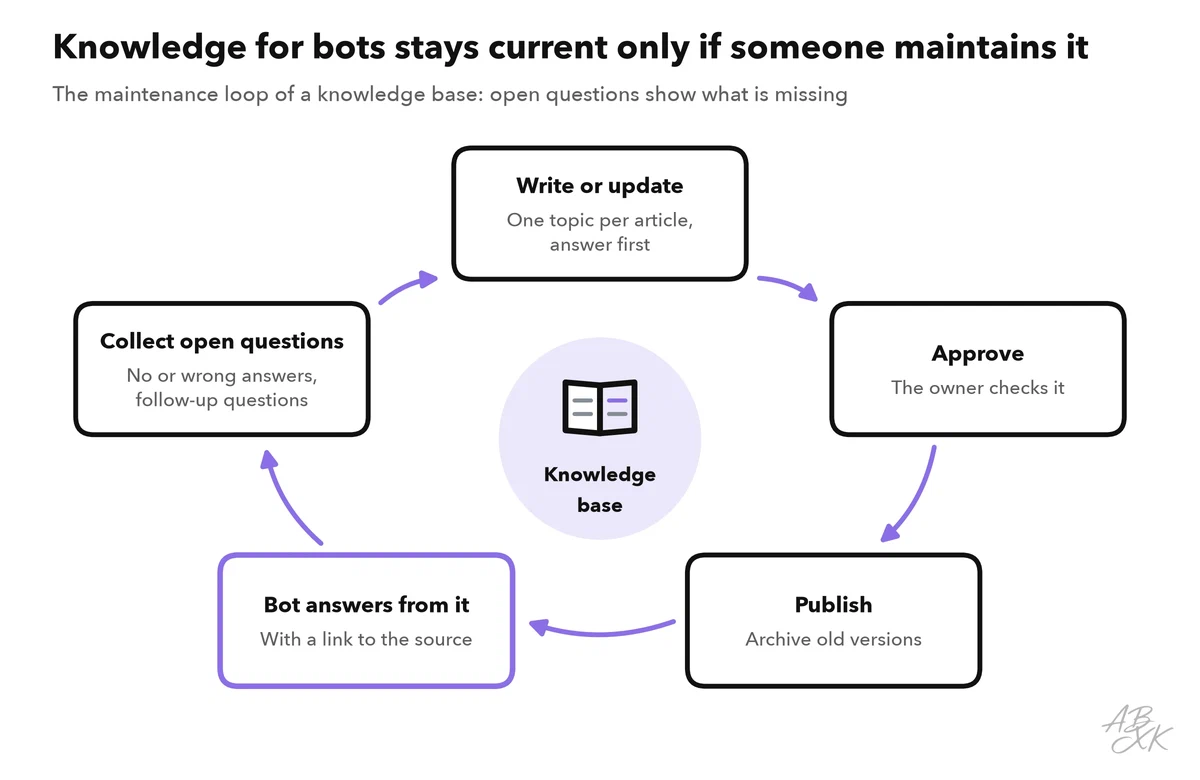
- Only one valid version. Archive old versions, because two versions of the same policy confuse the bot.
- Important facts as text. Information that exists only in an image or a scanned PDF is easily missed.
The work does not end with publishing. Questions the bot cannot answer, or answers it gets wrong, show you where documents are missing or unclear. Level 1 shows how to set up a first chatbot for customer service on top of such a knowledge base.
Every data set needs an owner
Data does not stay good on its own. Each important data set needs a named person who keeps it correct, decides about changes and answers questions about it. Without an owner, everyone assumes that someone else will fix it. Typical owners are:
- Help articles and policies: the customer service lead, together with the department that sets the policy.
- Customer records in the CRM: sales operations or the sales lead.
- Product data: product management.
- Definitions in reports, such as what counts as an “active customer”: analytics or finance.
Ownership also includes permission. Not every data set may be used in every AI tool: customer data, contracts and personnel files need extra care. Part 5 of this level sets out ground rules for using AI at work, including which data may go into which tools.
Quick wins for the next four weeks
You do not need a big data project to get started. This four-week plan focuses on the data your AI tools actually use.
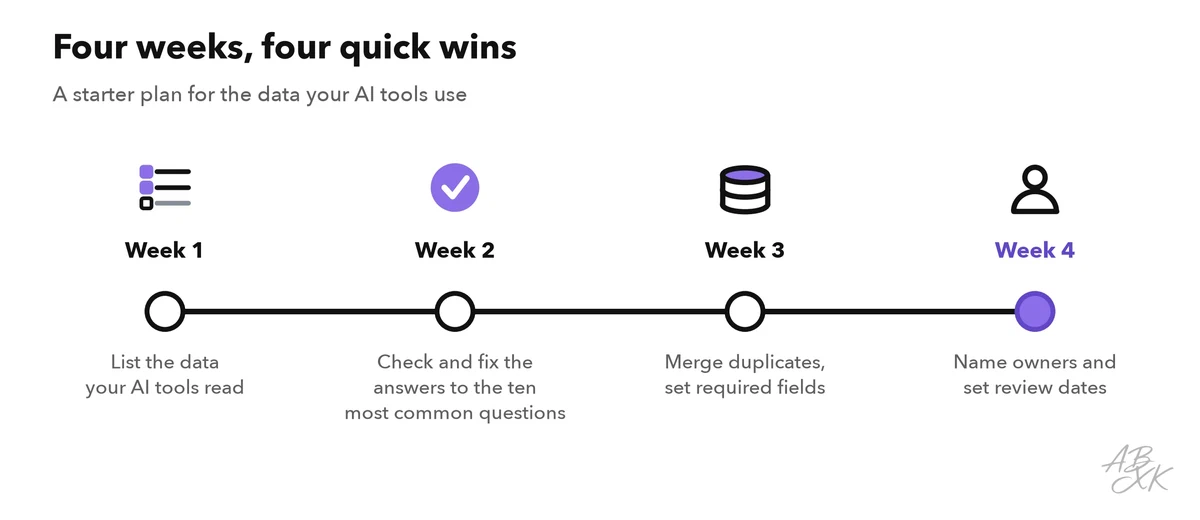
- Week 1: list the data your AI tools read. For each tool, note its sources: the help center, the CRM, a shared drive.
- Week 2: check the answers to the ten most common questions. Ask your chatbot or assistant each question and compare the answer with your current policy. Fix every document behind a wrong answer.
- Week 3: clean up the CRM basics. Merge duplicates and make three to five key fields required.
- Week 4: name owners and set review dates. Write the owner and the next review date into each important document.