

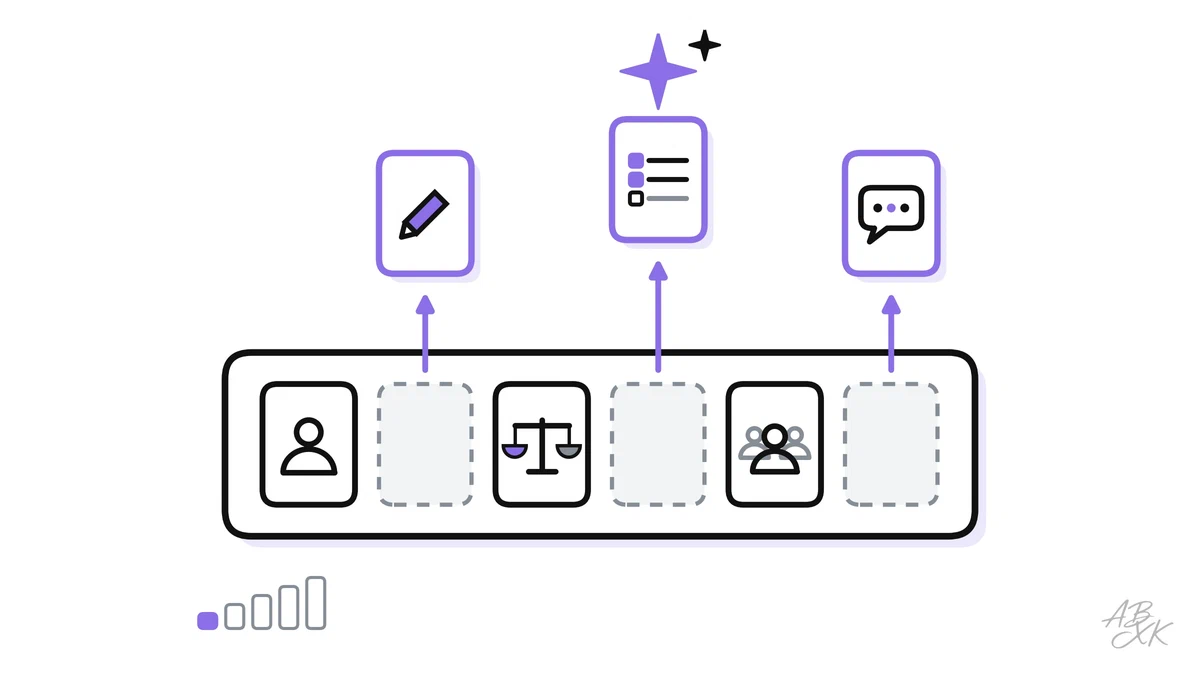
You have probably read two kinds of stories about AI at work. In one, AI takes over whole professions. In the other, it is an expensive toy that gets facts wrong. In everyday work, the change looks different from both. A sales rep still sells, and a service agent still helps customers. But the research before a call, the first draft of an email and the notes after a meeting are starting to look very different.
This is part 1 of Level 0, the start of our AI Work learning path. You need no technical knowledge. You will learn to see a job as a bundle of tasks, which tasks AI supports today, what stays with people and what results you can realistically expect.
A job is a bundle of tasks
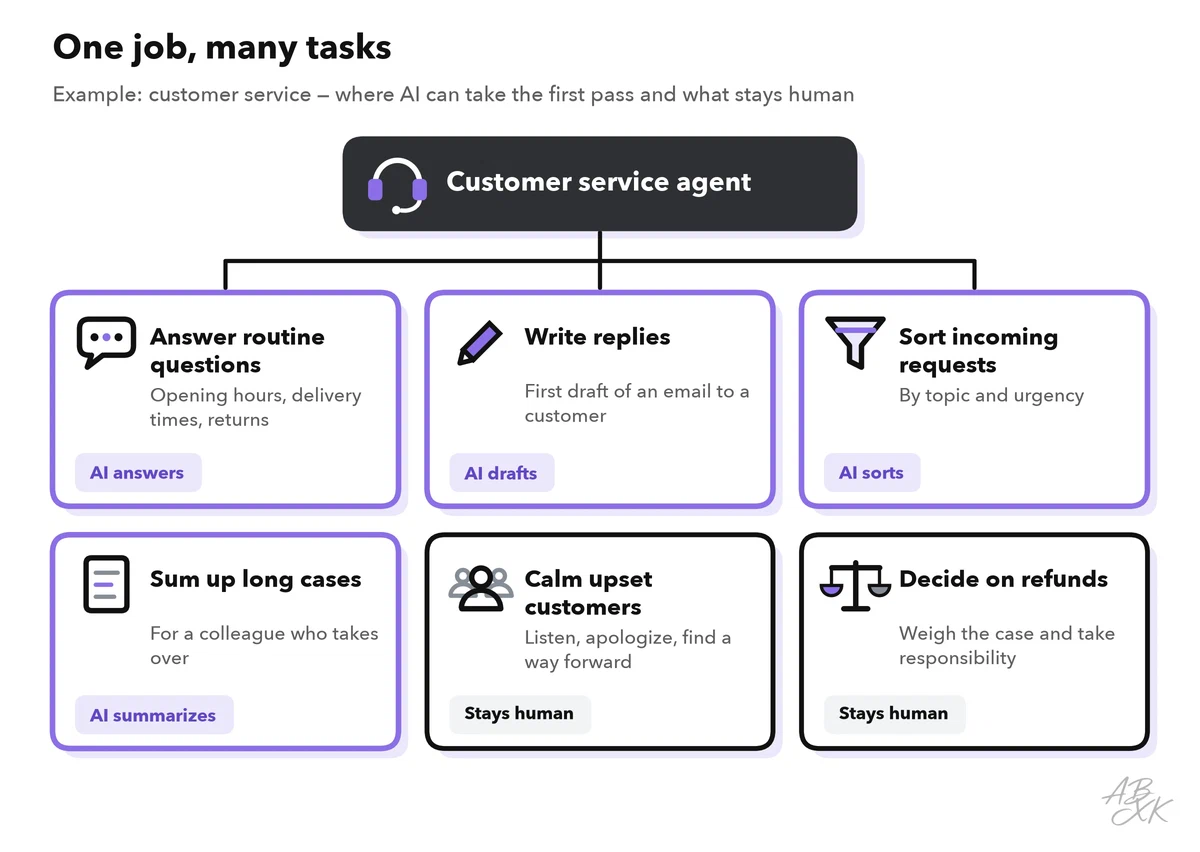
A job title is only a label. Behind it are many different tasks. Take a customer service agent. In one day, they answer the same questions again and again, look up orders, write replies, sum up long cases for a colleague, calm down an angry customer and decide whether someone gets a refund.
AI does not affect all of these tasks in the same way. Some it can do in seconds. Some it can prepare for you. And some it cannot do at all, because they need trust, judgment or a person who takes responsibility.
This is why researchers who study AI and jobs look at tasks, not job titles. In 2023, the ILO, the United Nations agency for the world of work, rated the tasks inside a wide range of occupations. Its conclusion: generative AI — AI that creates new text, images or audio from an instruction — is more likely to change parts of jobs than to replace whole jobs. Clerical support work, such as office administration, was the group with by far the most exposed tasks (Source: ILO, Generative AI and Jobs, Working Paper 96, 2023, ilo.org).
Four kinds of tasks where AI helps
Most of what AI does at work falls into four kinds of tasks. They have three things in common: they involve a lot of text or data, they follow patterns, and a person can check the result quickly.
| Kind of task | What the AI does | Example at work |
|---|---|---|
| Drafting | Writes a first version that you then edit | A first email to a new lead; three versions of an ad text |
| Summarizing | Condenses long material into the key points | Notes after a sales call; the history of a long support case |
| Sorting | Puts items into categories and passes them on | Incoming emails by topic and urgency; invoices by supplier |
| Answering | Replies to common questions from approved content | A chatbot that answers “Where is my order?” |
The word “approved” in the last row matters. A chatbot answers well when it draws on your current help pages and order data. Without them, it guesses. Part 4 of this level explains why AI needs good business data.
Notice also what the table does not say: that the AI decides. In each row, a person or a clear rule still decides what happens with the result.
What stays with people
Three things remain human work, even where AI takes over a large share of the routine.
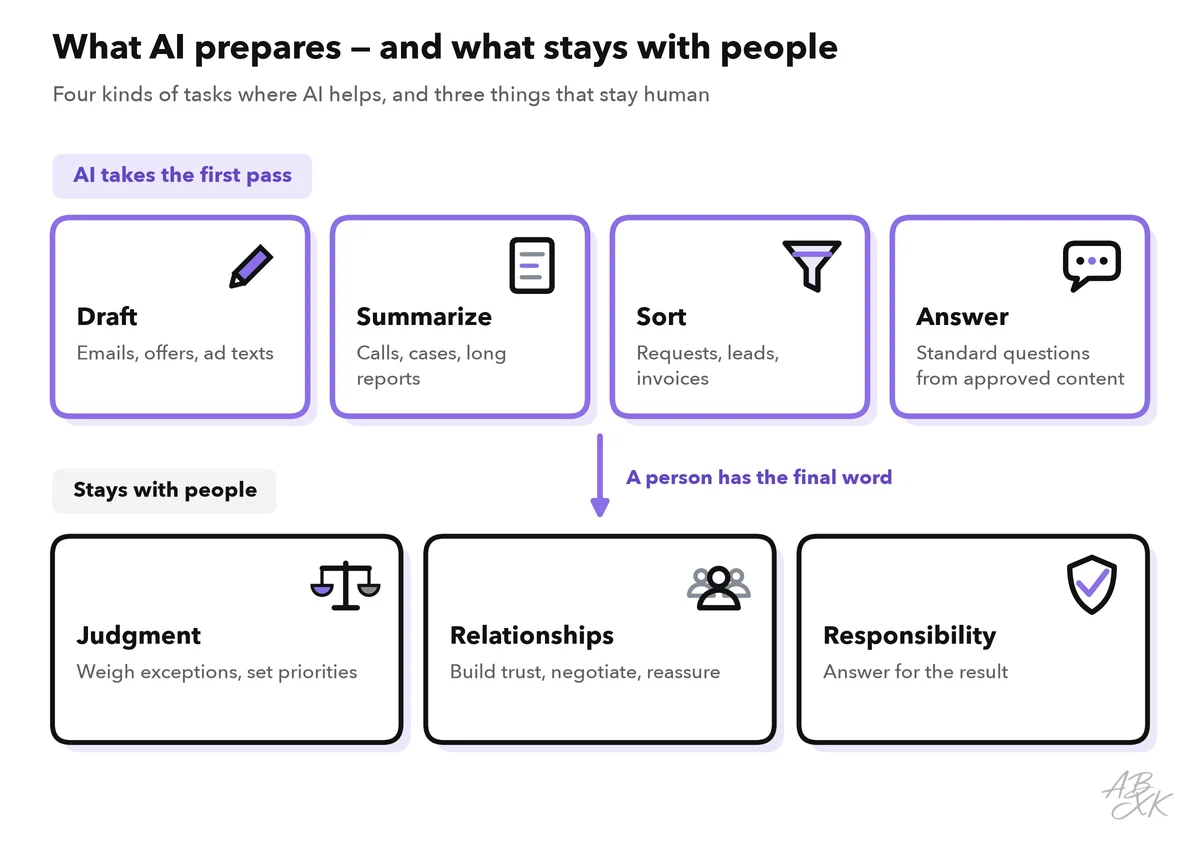
- Judgment. Should a loyal customer get an exception? Is this lead worth a call? Such decisions weigh facts, context and goals. AI can list arguments, but it does not know your priorities unless you tell it. It also cannot carry the consequences.
- Relationships. Customers and partners trust people. A difficult negotiation, an apology after a serious mistake or a talk with an upset customer needs a person who listens and means what they say.
- Responsibility. When something goes wrong, someone must answer for it. A tool cannot do that. Your company is responsible for what its AI tells customers, and you are responsible for what you send. Part 5 of this level turns this into ground rules for using AI at work.
A simple rule follows: let AI take the first pass, and keep the final word for yourself.
Examples from five departments
The same pattern repeats across a company. The table shows typical examples for each department. Part 2 of this level draws the full map of departments, with the data each one needs.
| Department | AI supports | Stays human |
|---|---|---|
| Sales | Researching companies, drafting first emails, writing call notes | Building trust, negotiating, deciding on discounts |
| Customer service | Answering routine questions, sorting requests, suggesting replies | Handling complaints, making exceptions |
| Marketing | Drafting texts and ad variants, analyzing campaign results | Choosing the message, approving what gets published |
| E-commerce | Writing product texts, adjusting ad bids, forecasting stock | Choosing products and suppliers, setting the price strategy |
| Analytics and operations | Building reports, spotting unusual numbers, reading documents | Interpreting results, signing off on numbers |
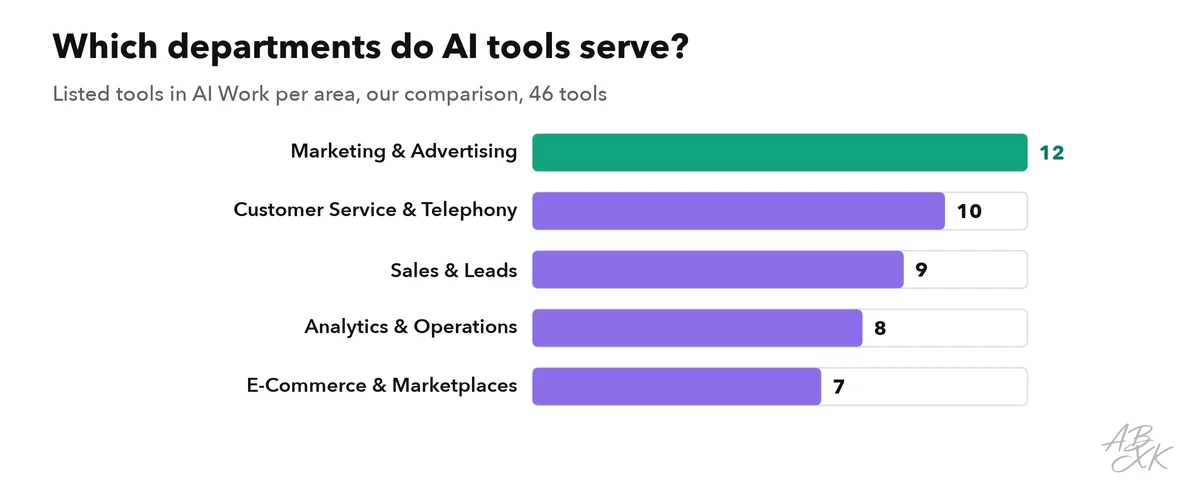
Software vendors have reacted to this. Our tool comparison for AI Work currently lists 46 tools, sorted by these departments.
Many of these tools are business software with AI features, such as a help desk or an analytics platform, rather than products built around AI. Here are three examples from different departments: customer service, sales research and reporting. Each card leads to the tool’s entry in our comparison:



Short descriptions from our tool comparison, based on the vendors' information — not tested by ABXK.
What you can realistically expect
So how much does AI really help? Two well-known studies give a realistic picture.
The first comes from a customer support center. Researchers studied data from 5,179 support agents, some of whom got an AI assistant that suggested replies during chats. With the assistant, agents solved 14 percent more customer issues per hour on average. New and less skilled agents gained the most, about 34 percent. For the most experienced and skilled agents, the effect was minimal (Source: Brynjolfsson, Li and Raymond, Generative AI at Work, NBER Working Paper 31161, 2023, nber.org).
The second study followed 758 consultants of the Boston Consulting Group on realistic tasks, some with access to GPT-4 and some without. On tasks the AI handled well, consultants with AI finished 12.2 percent more tasks and worked 25.1 percent faster, and the quality of their results was rated more than 40 percent higher. But on one task outside the AI’s abilities, consultants who used it were less likely to find the right answer than those who worked without it. The researchers call this uneven border a “jagged frontier” (Source: Dell’Acqua et al., Navigating the Jagged Technological Frontier, Harvard Business School Working Paper 24-013, 2023, hbs.edu).
Three lessons follow for your own expectations:
- The gains are real, but uneven. They are largest for routine tasks and for people who are new to a job.
- AI can make results worse. On tasks it does not handle well, its answers still sound convincing. You often cannot see the border in advance.
- Test on your own tasks. The only reliable way to know where AI helps you is to try it on real work and check the results.
A 2026 review by the International Labor Organization (ILO) of experiments, company data, platform studies and new surveys from seven countries confirms this picture on a larger scale. Productivity gains are real, but often unverified and uneven. The time savings that workers report, a few percent of their working hours, have not yet shown up in measured output, earnings or employment, and large-scale job displacement remains limited so far. The bigger risks the review sees are growing inequality and fewer opportunities for younger workers, along with changes in how work is organized: coordination, autonomy and job quality (Source: Merola et al., The impact of GenAI on jobs, productivity and work organization, ILO research brief, June 2026, ilo.org).
Exercise: split your own job into tasks
Now apply the idea to your own work. It takes about 20 minutes and gives you a personal map of where AI can help.
- List ten tasks from your last working week. Be specific: “answer delivery questions by email” is better than “customer contact”.
- Mark each task with one of the four kinds — drafting, summarizing, sorting, answering — or with “human” if it needs judgment, a relationship or your responsibility.
- Note how often it happens and what goes wrong if the result is wrong.
- Pick one task to try first: frequent, low risk and easy for you to check.
Here is an example worksheet for a sales assistant:
| Task | How often | Kind | Risk if wrong | Try first? |
|---|---|---|---|---|
| Research a company before a call | Daily | Summarizing | Low — you check it before the call | Yes |
| Write follow-up emails after meetings | Daily | Drafting | Medium — it goes to the customer | Yes, with review |
| Sort new inquiries by product | Weekly | Sorting | Low | Later, as an automation |
| Agree on a discount with a key account | Monthly | Human | High | No |