

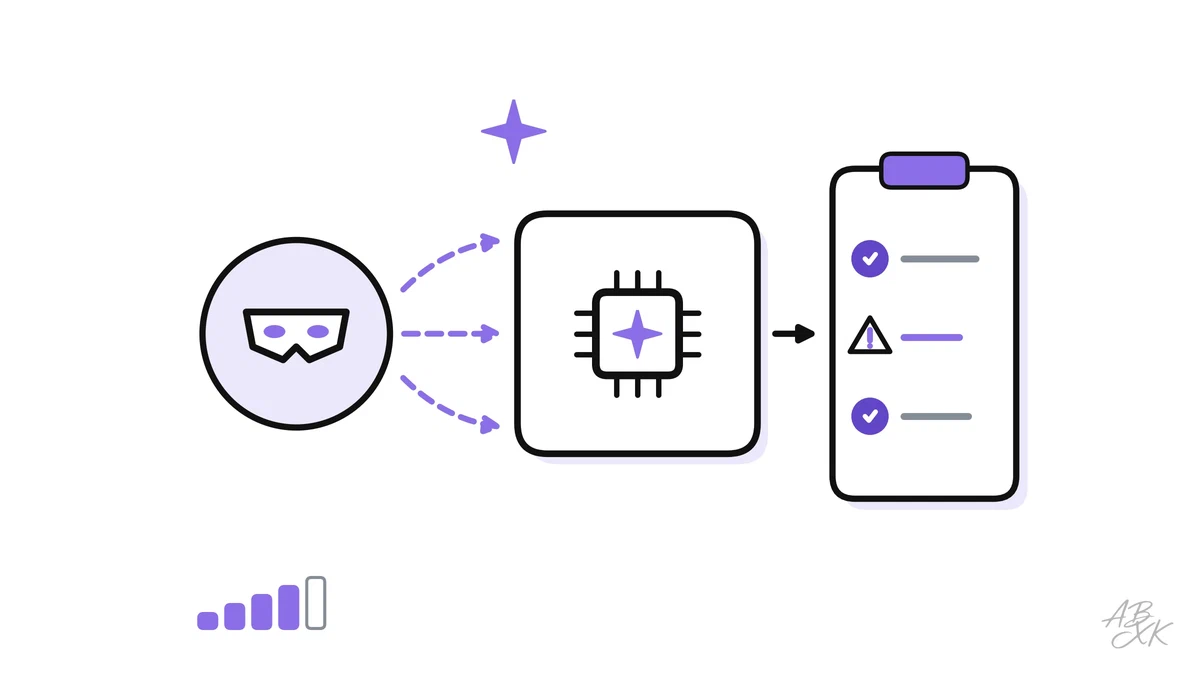
A red team attacks its own organization’s systems — with permission and under control — to find weaknesses before real attackers or unlucky users do. For AI systems, the idea is the same, but the targets are new: a chatbot that can be talked into leaking data, an agent that follows hidden instructions, a model that gives harmful or unfair answers. Testing for these problems needs its own methods, because a language model does not behave like ordinary software.
This is part 3 of Level 3 (Advanced) in our AI Security path. You will learn how to set goals, scope and rules for a red-team exercise, which test categories to cover, how manual and automated testing work together, and how findings turn into fixes and re-tests. We stay at the level of methods and organization; this guide contains no attack recipes. It builds on jailbreaks and guardrails from Level 2.
What makes red teaming LLMs different
A classic penetration test looks for bugs that either exist or do not. LLM apps behave differently in four ways:
- Outputs vary. The same input can produce a harmless answer nine times and a harmful one the tenth time. A single passed test proves little.
- The attack surface is language. Anyone who can type can try, and small changes in wording can change the result.
- Harm goes beyond security. Besides data leaks, you test for harmful content, unfair treatment and invented facts.
- The whole system counts. The same model can be safe in one app and unsafe in another, depending on the system prompt, the documents it reads and the tools it can use.
That is why the OWASP GenAI Red Teaming Guide, published in January 2025, spreads red teaming across four areas: model evaluation, implementation testing (prompts, guardrails, retrieval), infrastructure assessment (APIs, keys, hosting) and runtime behavior analysis (how the live system behaves with real users and tools) (Source: OWASP GenAI Red Teaming Guide, 2025, genai.owasp.org).
Goals, scope and rules of engagement
A red-team exercise starts with paperwork, not with prompts. Three decisions protect both the testers and the company.
Goals. Which harms matter most for this product? Take them from the threat model. For our support assistant, the goals are: no data from other customers, no refunds triggered by outside text, no harmful or insulting answers and no invented policies.
Scope. Which system, which version and which environment? Test in a staging environment with synthetic customer data, not in production with real customers. Keep the real tools, but connect them to test systems: the refund tool creates refunds in a test shop, not in your payment system.
Rules of engagement. These are the written rules for the test:
- who may test, during which period and with whose written approval,
- no real personal data and no real payments, ever,
- when to stop: if real data shows up or a real action happens, stop and report at once,
- how to store findings: harmful outputs and working test cases are sensitive and need restricted access,
- how to look after testers: reviewing harmful content is stressful, so rotate tasks and offer support.
Test categories
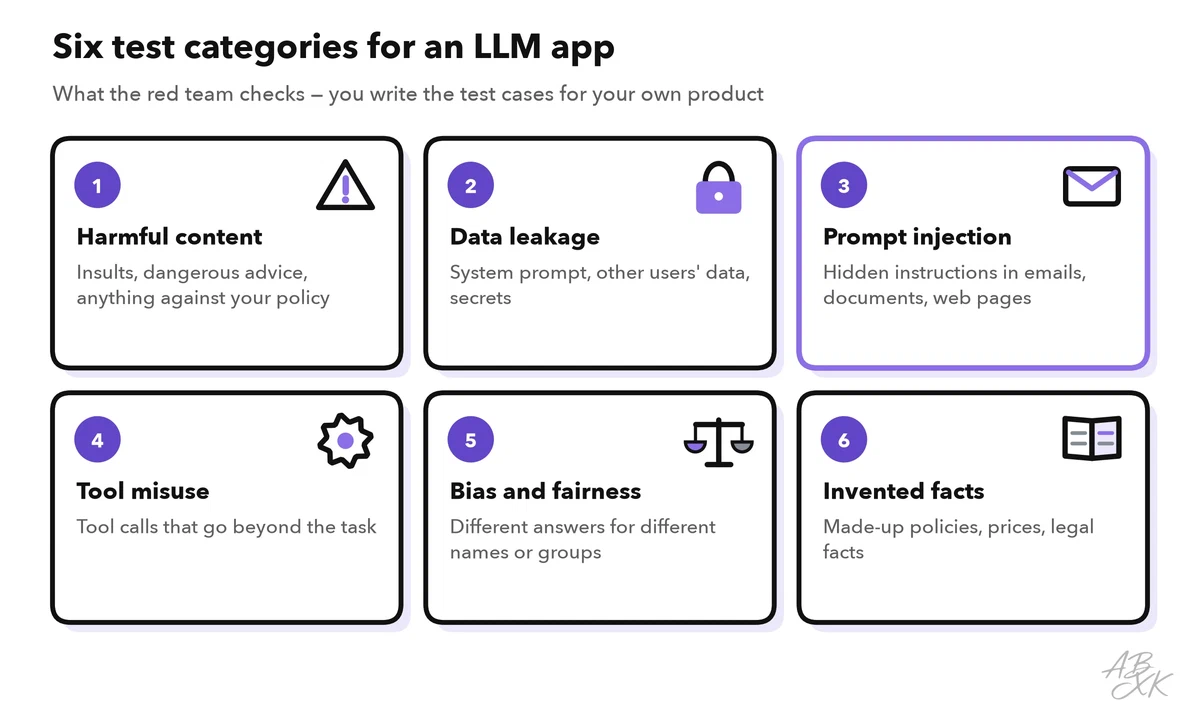
The six categories below cover the main risks of a typical LLM app. Each one needs its own test cases, written for your product:
| Category | What you test | Example finding | Typical fix |
|---|---|---|---|
| Harmful content | Does the app produce content against your policy, such as insults or dangerous advice? | A reworded request gets an answer the policy forbids | Output filter, clearer policy, a different model |
| Data leakage | Can testers get the system prompt, other users’ data or secrets? | The assistant quotes an internal note | Permission filters, no secrets in prompts |
| Prompt injection | Does the app follow instructions hidden in emails, documents or web pages? | A harmless test instruction in a test email changes the answer | Treat content as data, least privilege, approvals |
| Tool misuse | Can the model be led to call tools beyond its task? | A refund is prepared without a matching order | Argument checks in code, approvals |
| Bias and fairness | Do answers change with names, gender or origin? | A different tone for the same complaint | Test sets with swapped names, human review |
| Invented facts | Does the app make up policies, prices or legal facts? | A return period that does not exist | Answer from sources only, cite them, allow “I don’t know” |
Also test availability and cost: very long inputs and requests that start long agent loops. Such problems rarely make headlines, but they can exhaust your budget.
Manual and automated testing
Both kinds of testing are needed, and they do different jobs:
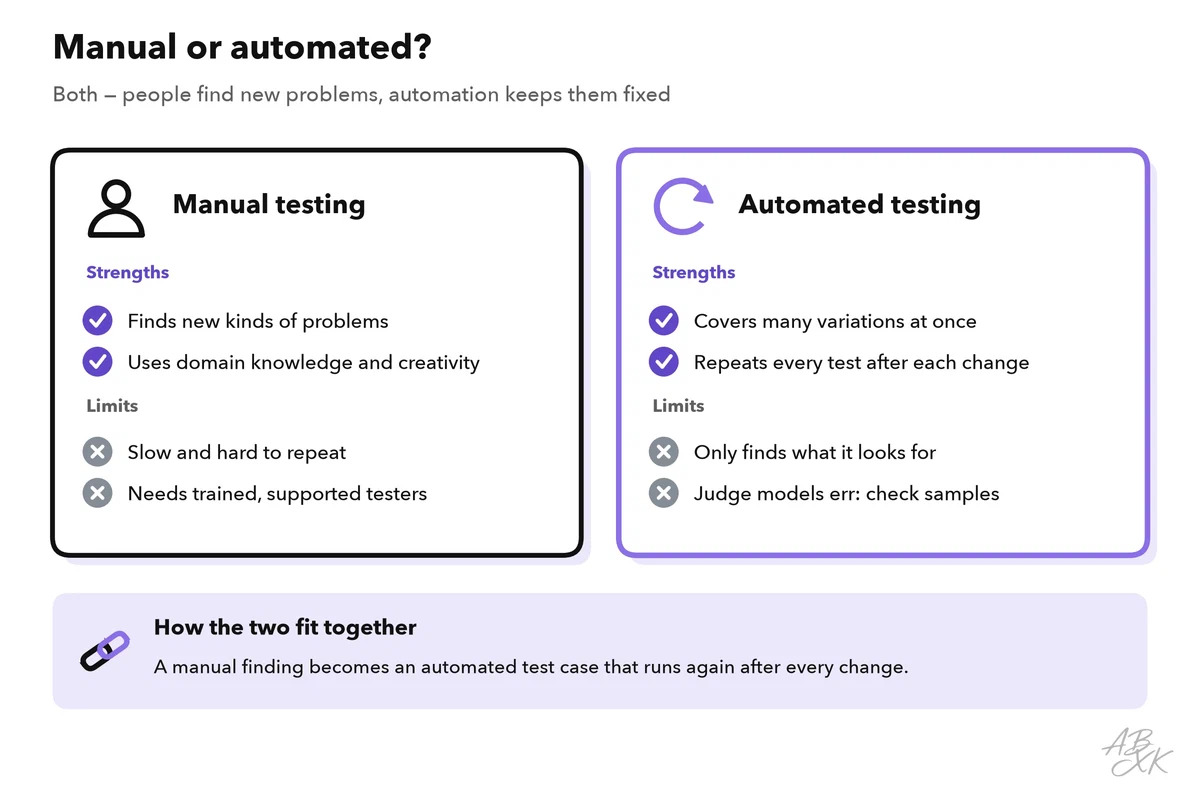
Manual testing by people with security knowledge and domain expertise finds new kinds of problems. A support agent knows which questions customers really ask; a security engineer knows how attackers think. Manual testing is creative, but slow and hard to repeat.
Automated testing runs large sets of test cases against the app and scores the answers. Open-source frameworks such as Microsoft’s PyRIT and NVIDIA’s garak help with this. Often a second model acts as the judge that rates each answer. Judges make mistakes too, so a person should review a sample of their ratings.
Because outputs vary, run every test case several times and report a rate, like the attack success rate from Level 2 — for example, “the assistant followed the hidden test instruction in 3 of 20 attempts” — instead of a simple yes or no. The best setup combines both: people find a new problem, and the team turns it into automated test cases that run after every change to the prompt, the model, the tools or the knowledge base.
From finding to fix: report, repair, re-test
A finding is only useful if someone can reproduce it and fix it. A good finding report contains:
- an ID, the test category and a severity rating,
- the affected system and version,
- the steps to reproduce it, stored with restricted access,
- the observed and the expected behavior,
- how often it occurred, for example 3 of 20 attempts,
- a proposed fix and an owner.
Rate severity by impact and reach: What can an attacker achieve? Can outsiders reach that path? Then fix at the right layer. A design change, such as removing a tool or adding an approval, beats a permission change. A permission change beats a filter, and a filter beats rewording the system prompt.
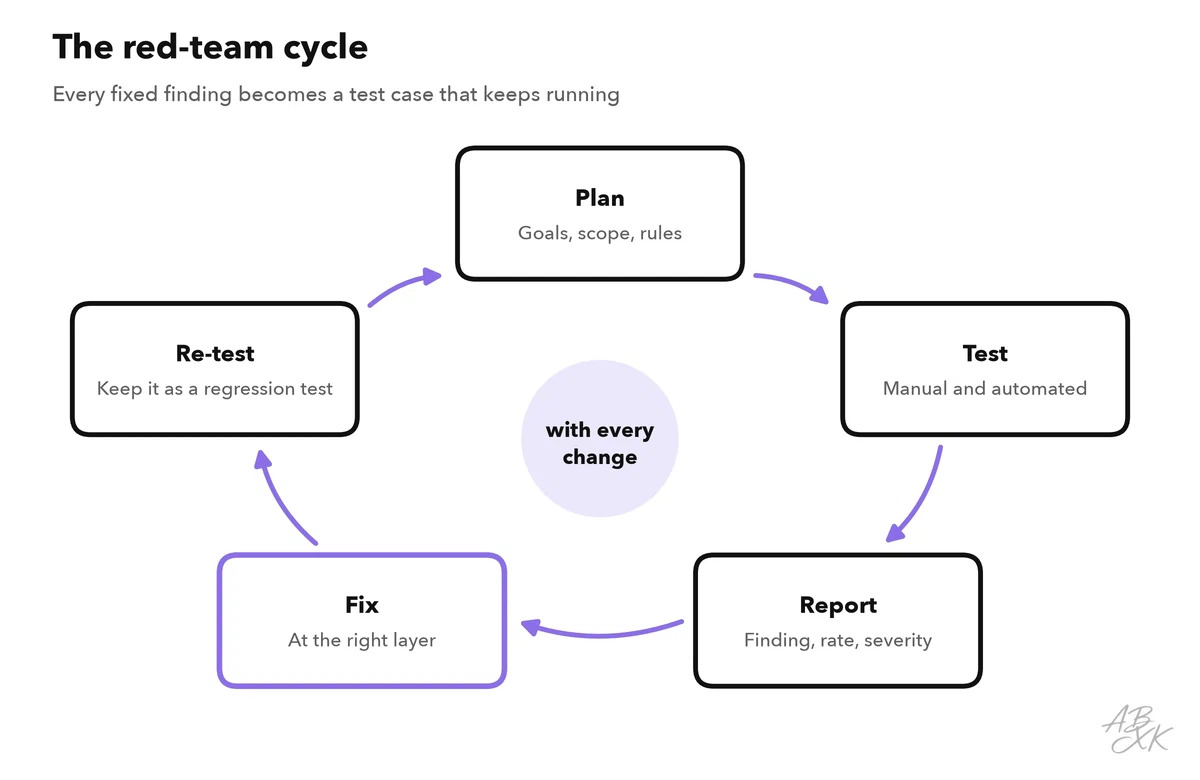
After the fix, re-test: run the original test case, variations of it and the full automated suite, because a fix in one place can break something elsewhere. Re-test also when the model changes. A new model version can behave differently, even with the same prompt.
Benchmarks choose a model, red teaming tests your system
Public benchmarks measure what models can do in general. Level 1 introduced one of them in hallucinations as a security risk: SimpleQA Verified, short factual questions with exactly one correct answer, answered without tools. Its history shows why invented facts belong on every test plan. The best result in our LLM data has risen since the first measured models, but it has not reached full marks:
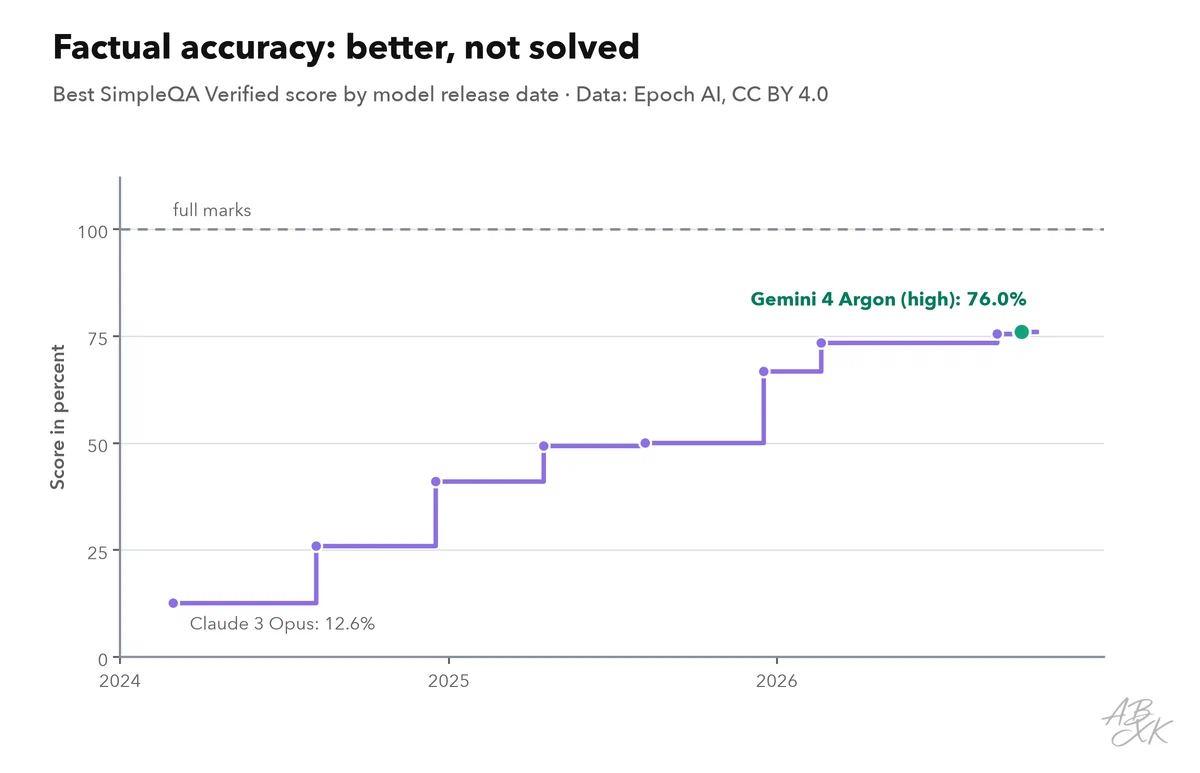
A benchmark tests the model, not your system. It says nothing about your system prompt, your documents, your tools or your users. Use benchmarks to choose a model — all models are listed in our LLM database — and use red teaming to test what you have built. Level 4 shows how to evaluate model safety and reliability in depth.
Some platforms bundle security testing with other controls. According to the vendor, Airia’s platform includes red teaming alongside policies and audit evidence. TestDriver.ai, according to its vendor, runs pull requests in a sandbox and builds regression tests. It tests user interfaces, not LLM attacks, but it shows the habit that matters: every change is tested before it ships. Neither tool has been tested by us.


Short descriptions from our tool comparison, based on the vendors' information — not tested by ABXK.
A first red-team exercise in one week
If your team has never done this before, start small. This plan fits into one week for one AI feature:
| Day | Task | Result |
|---|---|---|
| Monday | Agree on goals, scope and rules of engagement; set up a test environment with synthetic data | Signed rules, working test setup |
| Tuesday | Write 20 to 40 test cases from the threat model, covering all six categories | Test plan |
| Wednesday | Test manually in pairs: one person tests, one takes notes | Raw findings |
| Thursday | Run each test case several times, automated where possible; rate the findings | Findings with rates and severity |
| Friday | Present the results, agree on fixes and owners, add the test cases to the regression suite | Fix list, regression suite |
Plan the re-test for the week after the fixes. After that, repeat the exercise before every major release and whenever you switch to a new model.