

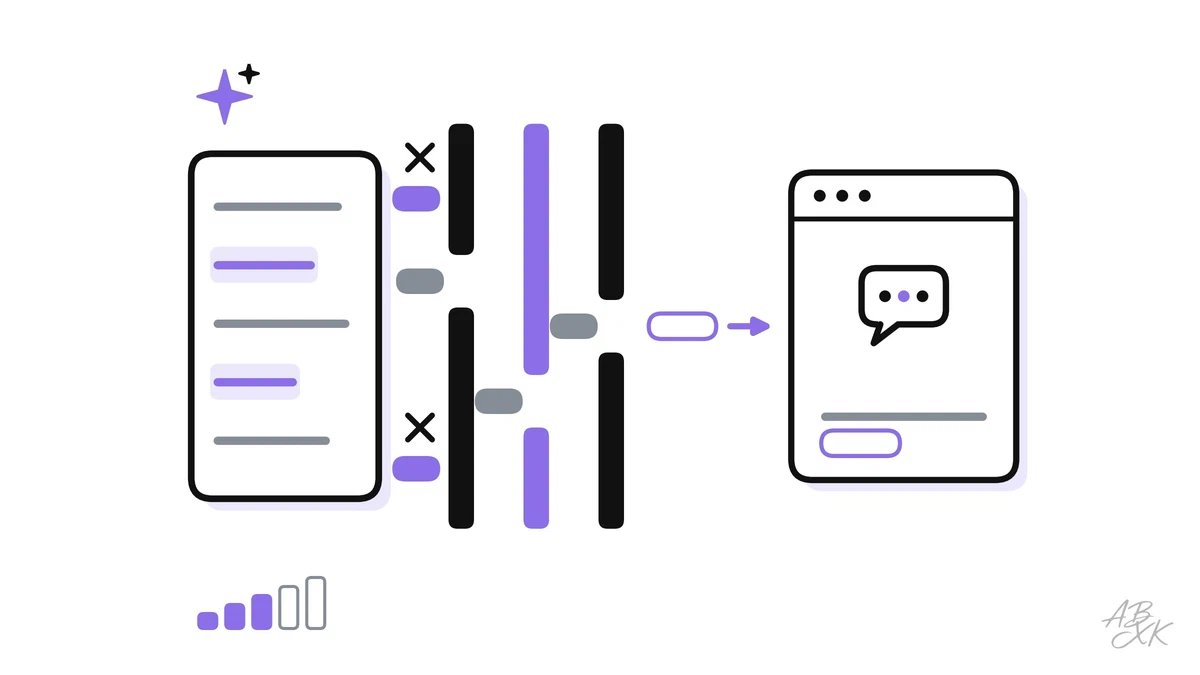
A service agent pastes a customer complaint into a free chatbot to get a friendlier reply: name, address and order history included. A colleague in legal uploads a contract draft to a PDF summarizer she found through a search engine. Nobody wants to cause harm. But the data now sits with providers your company has no contract with, under terms nobody has read.
This is part 2 of Level 2 in our AI Security learning path. Level 0 explained what happens to your data in an AI chat. This part takes the company’s view: which controls keep sensitive data where it belongs when a whole team uses AI tools. You will learn the main leak paths, how approved accounts, masking, data loss prevention, access rights, logs and contracts work together, and in which order to set them up.
Where data leaks when people use AI tools
Data leakage means that sensitive data ends up where it should not be: with a provider you have no contract with, in a model’s training data, behind a public link or in front of a colleague who should not see it. With AI tools, it rarely takes an attacker. It happens on five paths:
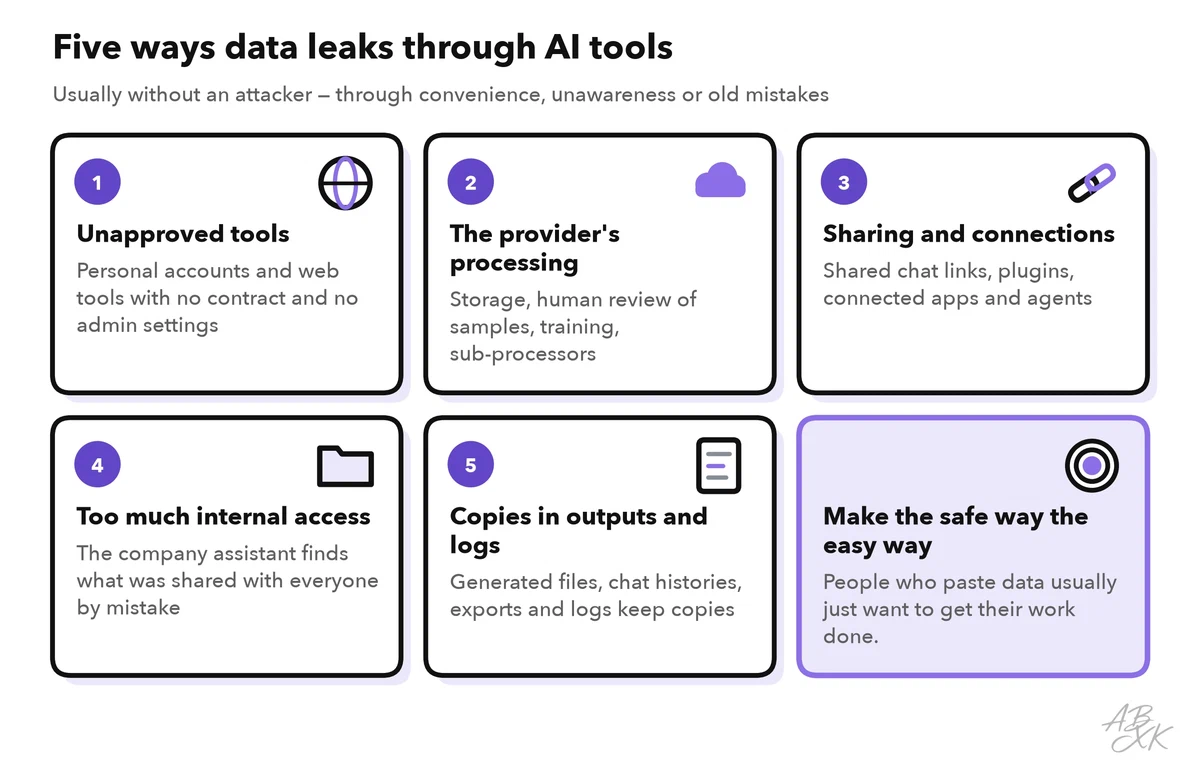
- Unapproved tools. Someone uses a personal account or a random web tool. Your company has no contract, no admin settings and no way to have the data deleted later.
- The provider’s processing. Even approved tools store prompts and files for some time. Depending on the plan, people at the provider may review samples, and inputs may be used for training.
- Sharing and connections. Shared chat links, plugins, connected apps and agents pass data on to further services.
- Too much internal access. A company assistant that searches internal files shows each user what that user is allowed to open. That includes the salary list that someone shared with the whole company by mistake. Experts call this oversharing.
- Copies in outputs and logs. Generated documents, chat histories, exports and logs keep copies of the data long after the task is done.
No single control closes all five paths. That is why companies stack several layers, from rules for people to technical checks. Each layer catches some of what the layer above misses:
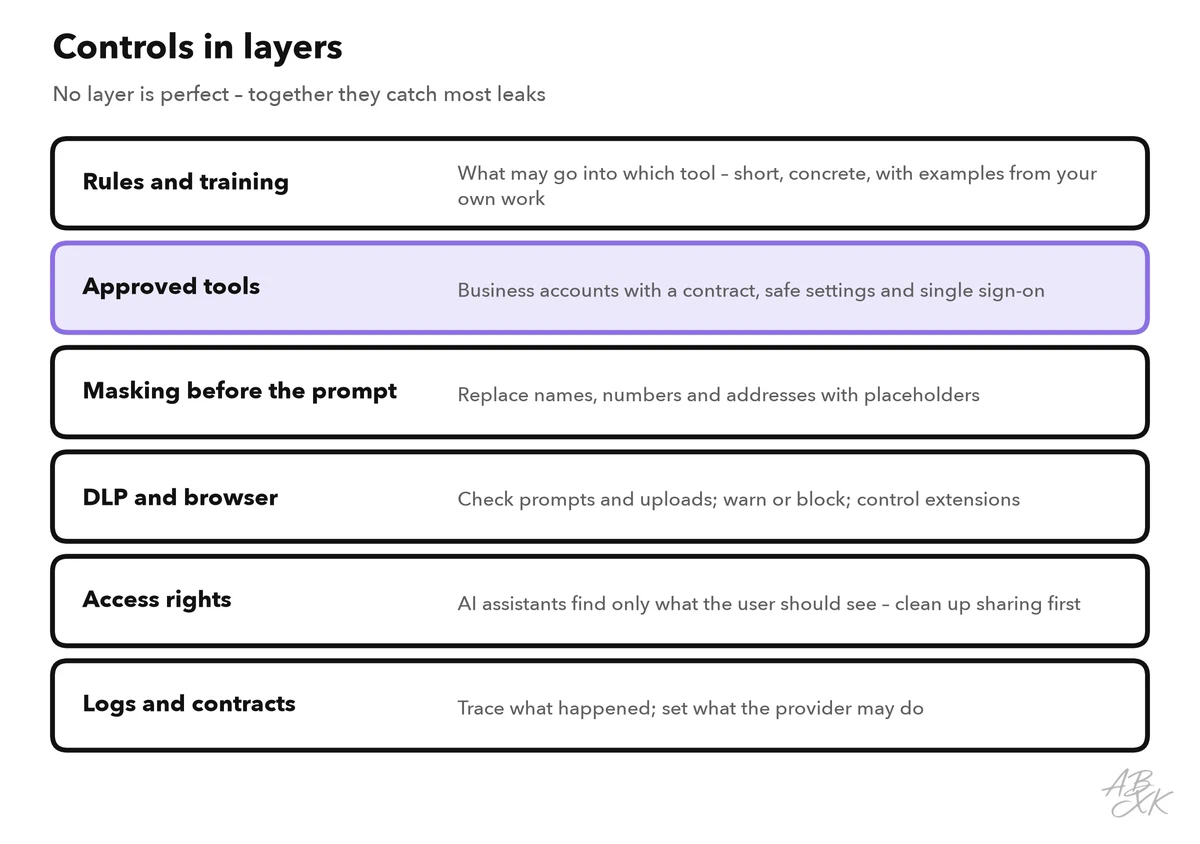
Start with approved tools and safe settings
The most effective control is an approved tool that is good enough for the job. If people have a business account with sensible settings, they have little reason to paste data into random websites. Part 5 of this level shows how to deal with shadow AI, the unapproved tools that are already in use.
Business and enterprise plans of the large providers usually come with a contract, central administration and, by default, no training on your data. Check the terms of your specific plan, then go through the admin settings before the rollout:
| Setting | Why it matters | Sensible default |
|---|---|---|
| Training on company data | Inputs could flow into future models | Off, and confirmed in the contract |
| Retention of chats and files | The longer data is kept, the longer it can leak | As short as your work allows |
| Single sign-on and multi-factor login | Stops private accounts and stolen passwords | Required for all users |
| Sharing of chats | Shared links can reach people outside the company | Off, or only inside the company |
| Connectors, plugins and agents | Each connection sends data to another service | Only approved ones, switched on per team |
| Memory across chats | The tool keeps personal details for later | Off for teams that handle sensitive data |
| Data region | Some plans let you choose where data is stored | A region that your company and contracts accept |
| Admin and audit logs | You need to know who changed what | On, readable by security and data protection |
Mask and pseudonymize before you prompt
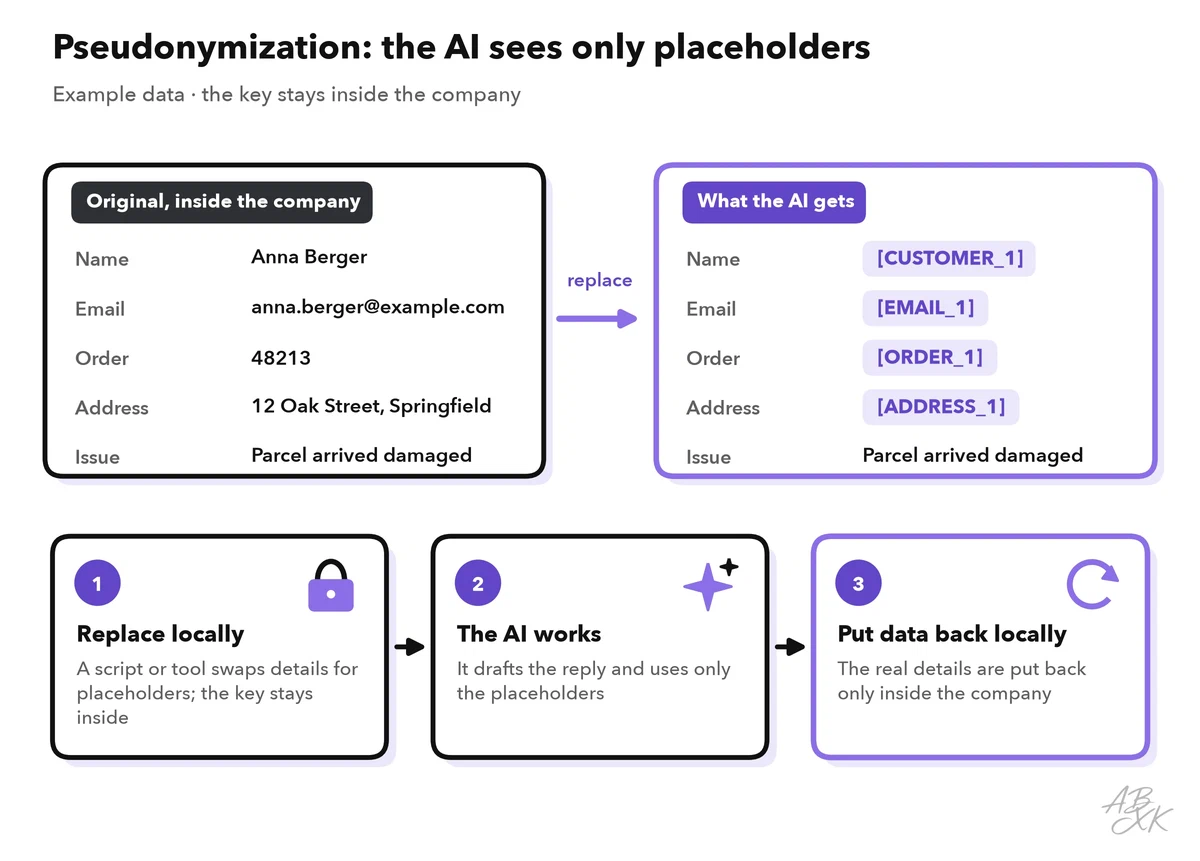
Often the AI does not need the real data at all. To improve the tone of a reply to a complaint, it does not need the customer’s name, address or order number. Leaving out what a task does not need is called data minimization, and it works with every tool. Three techniques help:
- Masking removes details or replaces them with a generic marker such as [NAME]. You cannot undo it.
- Pseudonymization replaces details with consistent placeholders such as Customer_1 and keeps the key, the list of who is who, separately inside the company. You can put the real names back into the AI’s answer later.
- Anonymization changes data so that nobody can identify the person any more with reasonable effort. This is harder than it looks: a rare job title and a small town can be enough.
| Technique | Example | Reversible? | Still personal data under the GDPR? |
|---|---|---|---|
| Masking | “Dear [NAME], your order [NUMBER] …” | No | Only if the rest still identifies the person |
| Pseudonymization | “Dear Customer_1, your order Order_7 …”, key kept internally | Yes, with the key | Yes |
| Anonymization | “A customer in a large city reported a damaged parcel” | No | No, if nobody can identify the person |
Some DLP tools and AI gateways mask data automatically: they find names, email addresses or bank account numbers in a prompt and replace them before the text leaves the company. Automatic detection misses things, especially names in unusual formats. For very sensitive data, check by hand. Level 1 shows which data classes need the most care in what not to paste into an AI tool.
DLP: check prompts and uploads automatically
Data loss prevention (DLP) is software that recognizes sensitive data and stops it from leaving through the wrong channel. Many companies already use DLP for email and file sharing. For AI tools, it checks what people type or paste into an AI website and which files they upload.
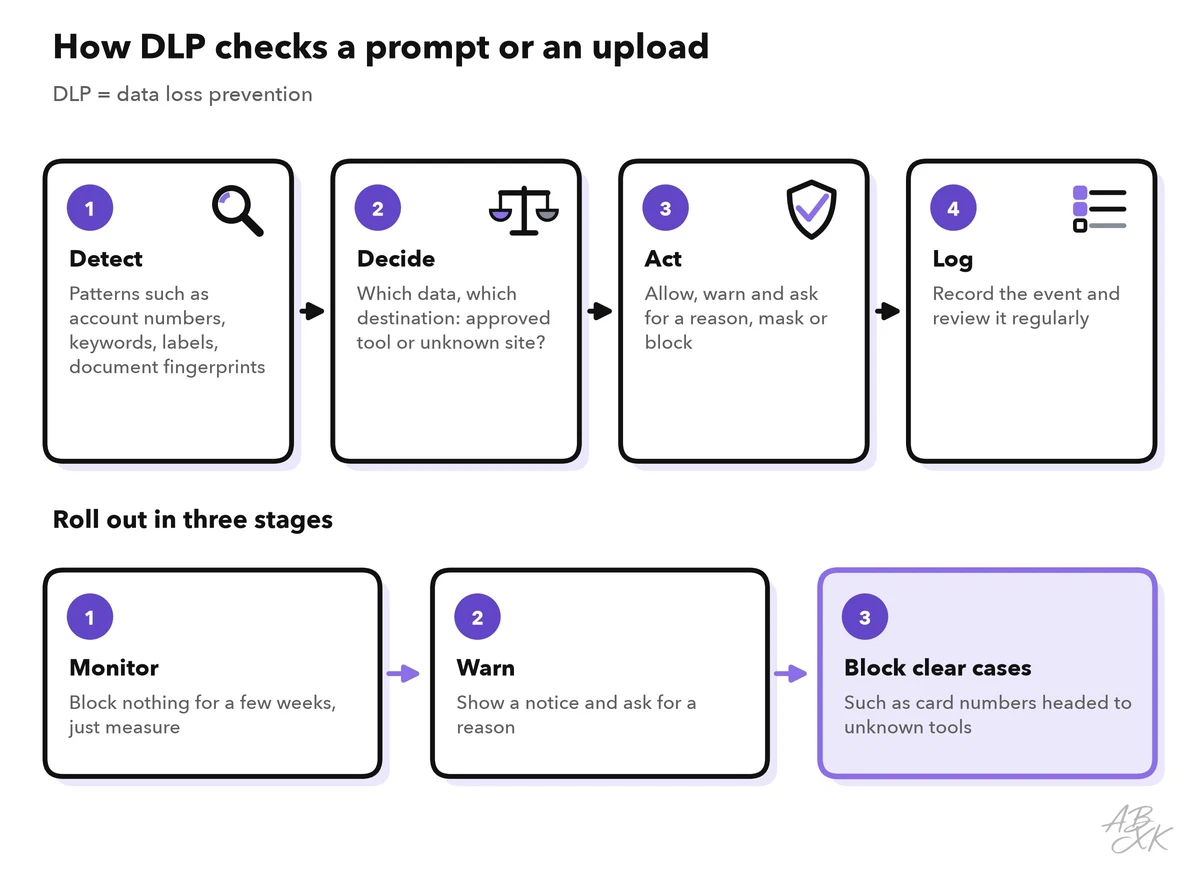
A DLP check has four steps. It detects sensitive data through patterns such as card or account numbers, keyword lists, sensitivity labels like “confidential” and fingerprints of specific documents. It decides based on the data and the destination: an approved business tool is not the same as an unknown website. It acts: allow, warn and ask for a reason, mask, or block. And it logs the event for later review.
Roll DLP out in stages. Start in monitoring mode for a few weeks and see what happens without blocking anyone. Then warn, and block only clear cases, such as card numbers on their way to an unapproved tool. A rule that blocks too much teaches people to work around it, for example with their private phone.
Most AI use happens in the browser, so the browser is a good control point. A managed company browser can send people from unapproved AI sites to the approved tool, allow only approved extensions and restrict uploads or pasting on unapproved sites. Extensions deserve extra attention: many AI extensions ask for permission to read every page you open, including your email and your CRM.
Access rights, logs and contracts
Access rights decide what an internal assistant can find. According to the vendors, assistants such as Microsoft 365 Copilot or Gemini in Google Workspace respect existing permissions: they show users only what those users could already open. That sounds safe, but it brings old mistakes to light, such as folders shared with everyone, forgotten guest access or outdated groups. Before you switch on such an assistant, clean up permissions in sensitive areas, label confidential documents and give the assistant no more rights than the user. Part 1 of this level lists this risk as LLM02 in the OWASP Top 10.
Logs show what happened: which AI tools are used and by which teams, which DLP events occurred and which admin settings changed. Prompt contents are a special case, because storing every prompt creates a new pile of sensitive data. Keep content logs only where you need them, protect them like the original data and delete them on schedule. Agree on the rules with your data protection officer; in Germany, the works council also has a say when technical systems can monitor employees.
Contracts decide what the provider may do with your data. Before work data flows into a tool, check these points:
- a data processing agreement, which the GDPR requires when a provider processes personal data on your behalf (Article 28)
- no training on your data, in writing
- retention periods and deletion when you leave
- the list of sub-processors, such as the provider of the language model behind the tool
- where data is stored and processed, and the legal basis for transfers outside the EU
- security evidence, such as an ISO/IEC 27001 certificate or a SOC 2 report, and a duty to report incidents
Our comparison lists a few tools for these layers. According to the vendors, Airia secures and governs agents, models, tools and data access, Sentaro checks the context of emails and warns users before they make a mistake, and Bitdefender protects the devices of smaller companies against ransomware and phishing. None of them replaces clean permissions and clear rules:



Short descriptions from our tool comparison, based on the vendors' information — not tested by ABXK.
Common gaps and how to close them
Most leaks happen in the gaps between good intentions and daily work. Check your setup against this table:
| Gap | What happens | Better |
|---|---|---|
| A ban without an alternative | People switch to private phones and accounts | Offer an approved tool first, then restrict |
| DLP blocks from day one | Many false alarms, and people find workarounds | Monitor, then warn, then block clear cases |
| Business plan with default settings | Sharing, plugins and long retention stay on | Review the admin settings before the rollout |
| Assistant on before the permission cleanup | Users find files they should never have seen | Clean up sensitive areas and labels first |
| Every prompt logged forever | A new store of sensitive data | Log events; keep content only where needed |
| No contract check for small tools | Data flows to providers without an agreement | Every tool with work data goes through the same review |
Our guide on protecting personal data with AI tools adds more advanced techniques, such as differential privacy and federated learning.