

Many security problems with AI tools do not come from clever hacks. They come from a reused password, a forgotten shared link or a browser extension that can read everything you do online. The good news: a handful of habits closes these gaps, and none of them needs technical knowledge.
This guide is part 4 of Level 0 in our AI Security learning path. It turns the first three parts into a checklist that you can work through in about half an hour. For each item, you will learn what to do, why it matters and how often to check it.
The checklist at a glance
Eight checks cover the main risks of everyday AI use. The table says what to do for each one and how often to repeat it.
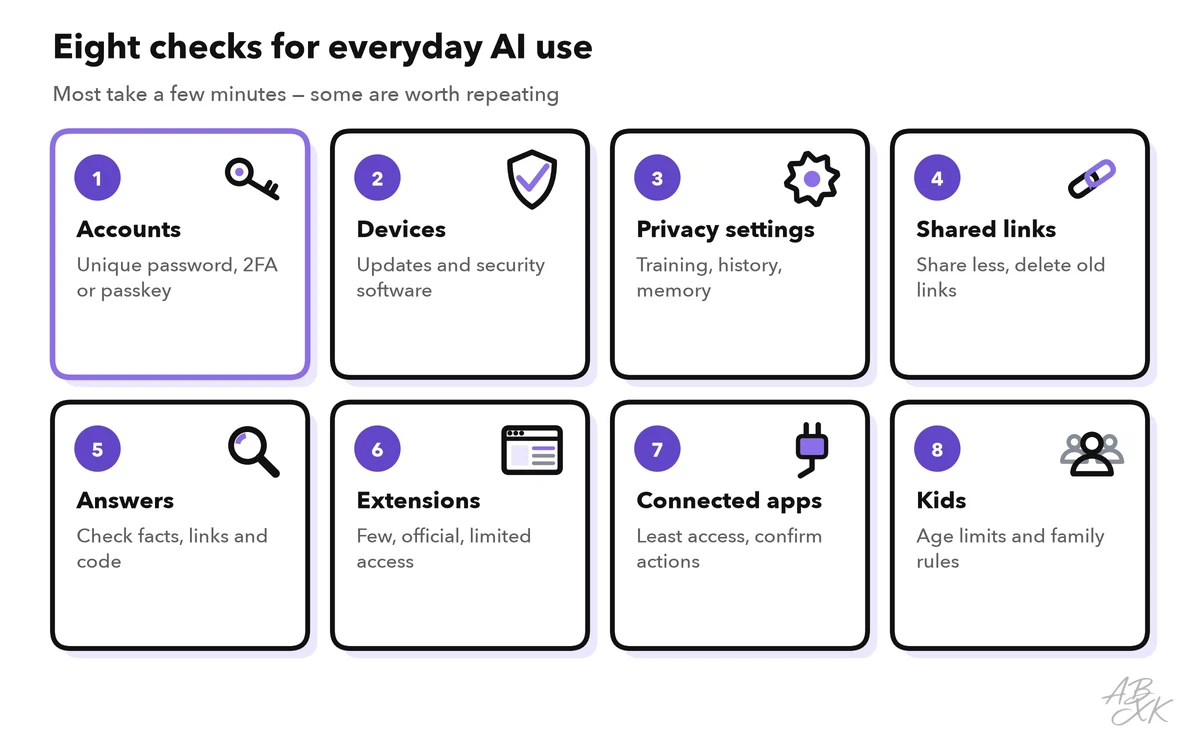
| # | Check | What to do | How often |
|---|---|---|---|
| 1 | Accounts | Unique password, two-factor login or a passkey | Once, then when you add a tool |
| 2 | Devices | Install updates, use security software | Updates as they come |
| 3 | Privacy settings | Decide on training, history and memory | Once, then every few months |
| 4 | Shared links | Share less, delete old links | Monthly |
| 5 | Answers | Check facts, links and code before you use them | Every time |
| 6 | Browser extensions | Few, from official stores, with limited access | When you install, then every few months |
| 7 | Connected apps and agents | Give the least access, confirm every action | When you connect, then every few months |
| 8 | Kids and teenagers | Check age limits, agree on family rules | When a child starts using AI |
Accounts and devices
1. Lock your AI accounts
Your AI account holds your whole chat history. Whoever gets in can read it. This is not a rare case: in 2023, the security firm Group-IB found more than 100,000 infected devices with saved ChatGPT logins in the logs of password-stealing malware (Source: Group-IB, June 2023).
- Use a unique password for every AI tool. A password manager creates and remembers them for you.
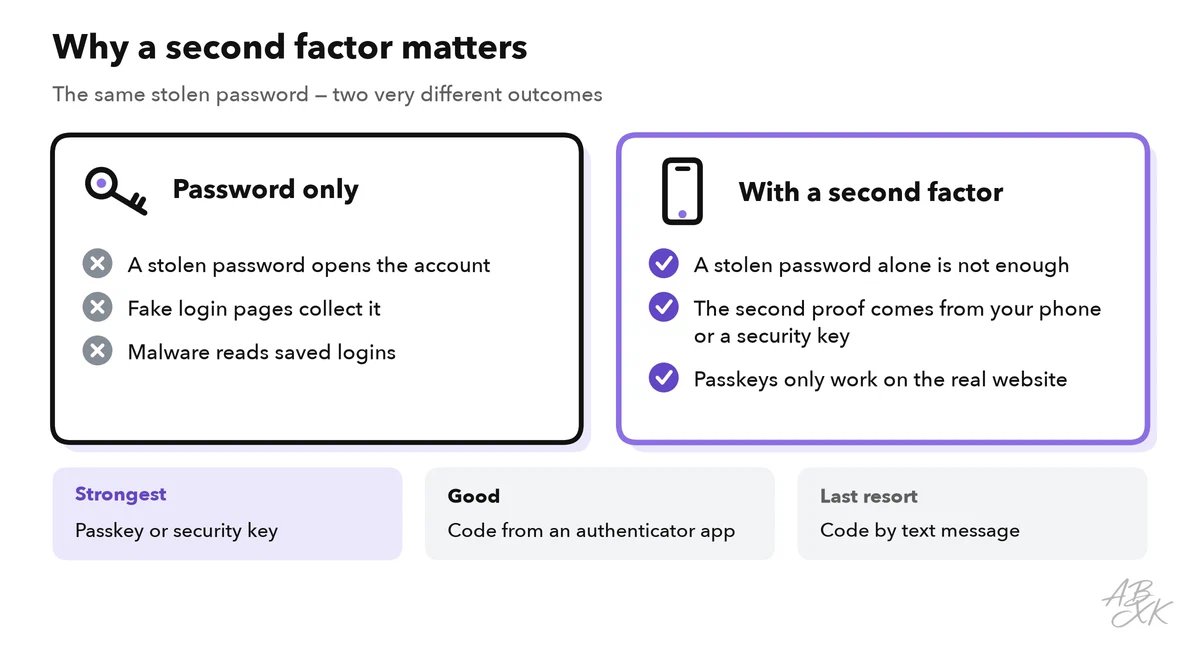
- Turn on two-factor authentication. With two-factor authentication (2FA), you need a second proof besides your password, for example a code from an authenticator app. A stolen password alone is then not enough. The US cybersecurity agency CISA recommends phishing-resistant methods based on FIDO, the standard behind passkeys, and advises using codes by text message only as a last resort (Source: CISA, Implementing Phishing-Resistant MFA, 2022, cisa.gov).
- Use a passkey if the tool offers one. A passkey replaces the password with your device’s screen lock, such as your fingerprint or PIN. It is tied to the real website, so a fake login page cannot collect it.
- Mind your sign-in account. If you log in with Google, Microsoft or Apple, that account is the key to your AI tools as well. Secure it first.
2. Keep your devices clean
Password-stealing malware reads saved logins straight from your browser. Install updates for your system and browser when they come, and use security software. According to the vendors, Bitdefender protects businesses against ransomware and phishing, and Sentaro checks business emails for phishing. The descriptions come from the vendors; we have not tested the tools. More tools are listed in our AI Security comparison.



Short descriptions from our tool comparison, based on the vendors' information — not tested by ABXK.
Settings and sharing
3. Set your privacy settings once
Part 3 of this level explained what happens to your data in an AI chat and which settings matter. For your checklist, this means: decide whether your chats may be used for training, delete old chats with personal details, and look at what the assistant remembers about you. Check again every few months, because providers change their settings and terms.
4. Think before you share a chat link
Many assistants let you share a chat as a link. Anyone who has the link can read the chat, and links get forwarded. In summer 2025, thousands of shared ChatGPT conversations showed up in Google search results. Their owners had ticked an option that made the chats findable; OpenAI removed the option soon after (Source: Fast Company, July 2025).
- Remove names, addresses and other personal details before you share.
- Often it is better to copy only the useful part of the answer.
- Delete shared links you no longer need. Most assistants list them in the settings.
Answers, extensions and connected apps
5. Check answers before you act on them
AI answers can be wrong while sounding sure. Experts call made-up facts hallucinations. They become a security problem when you act on them: a link that leads to a fake site, a command you run without understanding it, or advice on money, health or law that nobody checked. Treat AI answers like a tip from a stranger: useful, but check them before they count. Level 1 shows how hallucinations become a security risk.
6. Be picky about browser extensions
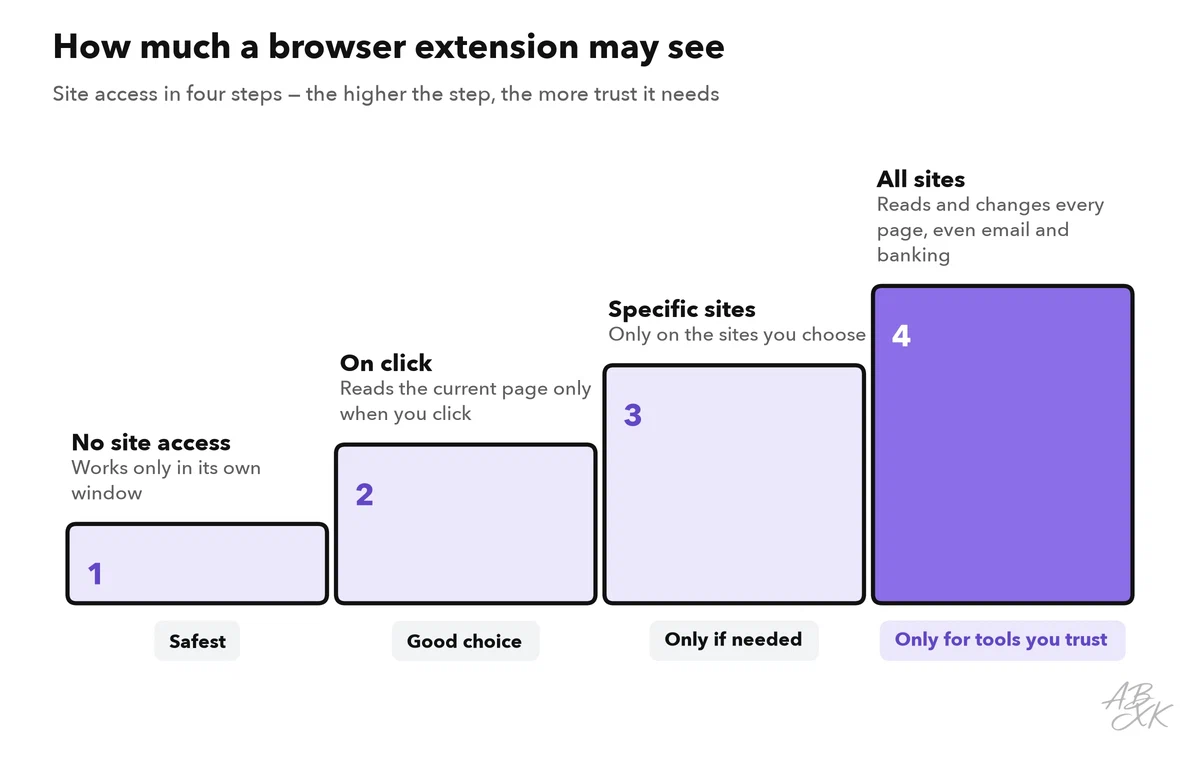
AI extensions for your browser can summarize pages, write emails or translate. To do that, many of them ask for permission to read and change your data on every website you visit, including your email and online banking. Fake AI extensions have abused exactly this: in 2023, a fake “ChatGPT” extension in the Chrome Web Store stole Facebook login sessions and took over accounts (Source: Guardio Labs, March 2023).
- Install extensions only from the official store and check who publishes them.
- Read the permissions before you click “Add”.
- Limit site access where your browser allows it. Chrome, for example, lets you choose between access on click, on specific sites or on all sites (Source: Google Chrome Help, support.google.com).
- Remove extensions you no longer use.
7. Give connected apps and agents as little as possible
Many assistants can connect to your email, calendar or cloud storage. AI agents go one step further: they act for you, for example by sending emails or booking appointments. Each connection is a door. Hidden instructions in an email or a web page can steer an assistant that reads them. This is called prompt injection, and it is the reason for the rules below.
- Connect only what a task really needs, and prefer read-only access.
- Let agents ask for your confirmation before they send, buy, delete or share anything.
- Remove connections you no longer use. In companies, platforms such as Airia help teams build and manage AI solutions securely, according to the vendor.
Kids and teenagers
Children and teenagers use AI chatbots for homework, questions and company. The rules for them differ by service. OpenAI requires users to be at least 13, or older where local law requires it, and anyone under 18 needs a parent’s or guardian’s permission. Anthropic requires users of Claude to be at least 18 (Sources: OpenAI Terms of Use, openai.com; Anthropic Consumer Terms of Service, anthropic.com).
Beyond age limits, three family rules help:
- AI can be wrong. Answers need checking, especially for school, health and money.
- No personal details. No full name, address, school, photos or passwords in a chat.
- Talk about it. Children should know they can tell you when a chat feels strange, pushy or scary. Some services offer family or parental settings; check what the service your child uses provides.
Your 30-minute safety session
Set a timer and work through this plan once. After that, a short check every few months is enough. The last row borrows the callback rule from part 2 on AI scams.
| Minutes | Task | Done when |
|---|---|---|
| 0–10 | Accounts: new unique passwords, 2FA or passkeys for your two most-used AI tools | You can only log in with a second factor |
| 10–15 | Privacy settings: training, history, memory | You know what each setting does and chose on purpose |
| 15–20 | Browser extensions: remove unused ones, limit site access | Every extension left has a clear job |
| 20–25 | Shared links and connected apps: delete and disconnect | Nothing is shared or connected without a reason |
| 25–30 | One rule for your family or team, for example: “We call back before we pay” | The rule is written down and shared |