

You have probably heard that AI can write emails, summarize meetings and design slides. Some people say it will change every job. Others say it makes too many mistakes to be useful. Both sides have a point, and the truth is more practical than either of them.
This guide is part 1 of Level 0, the start of our learning path. You need no technical knowledge. By the end, you will know which everyday tasks AI tools already handle well, where they fail, and how to try your first task without risk.
AI is good at drafts, not at the final word
Most AI tools you will meet at work are built on a large language model (LLM). An LLM has learned from a huge amount of text which words usually follow each other. When you type a request, it predicts a likely answer, word by word. That is why the answers sound fluent and confident — and also why they can be wrong without any warning.
This leads to a simple way of working: the AI writes the first version, and you decide what is true, useful and ready to use.
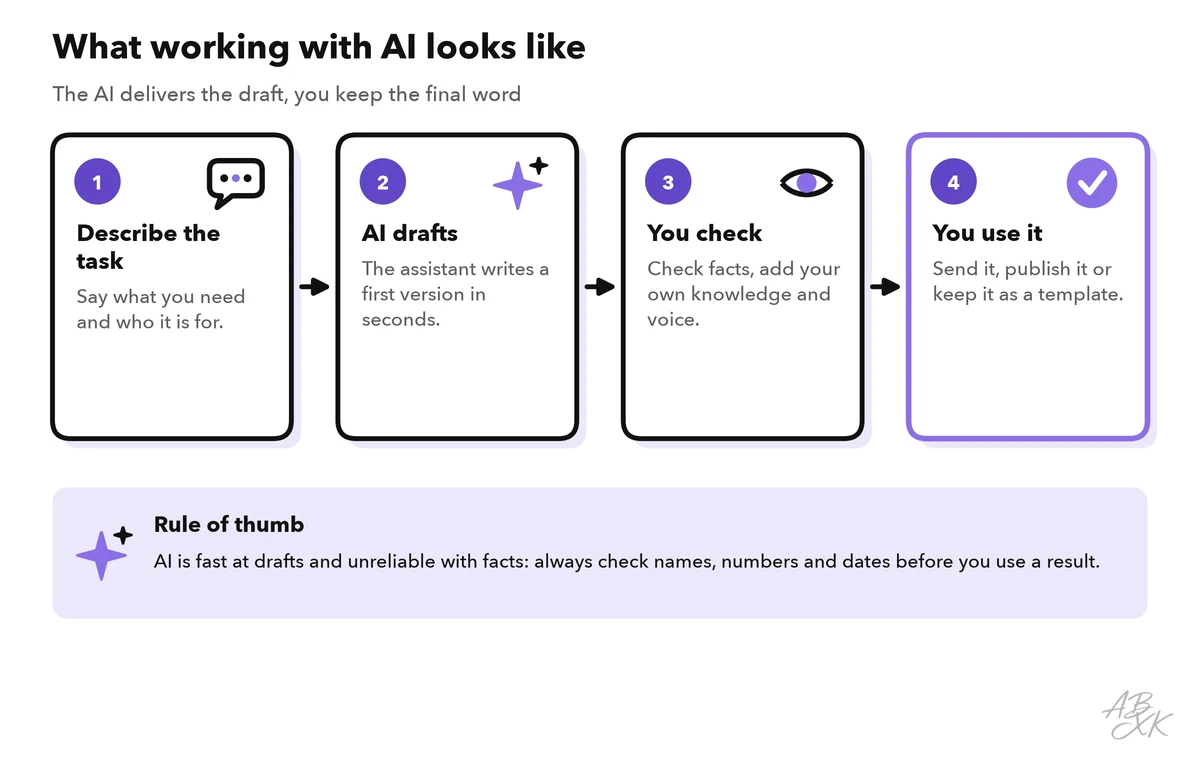
Think of an AI assistant as a very fast intern who has read a lot but has never worked at your company. It can produce a decent draft in seconds. It does not know your customers, your numbers or what your boss said yesterday — unless you tell it.
Six everyday tasks where AI already helps
You do not need to use AI for everything. Start with tasks that take time but carry little risk. These six areas cover most of what people use AI for in daily office work, and they match the areas of our tool comparison for AI Productivity.
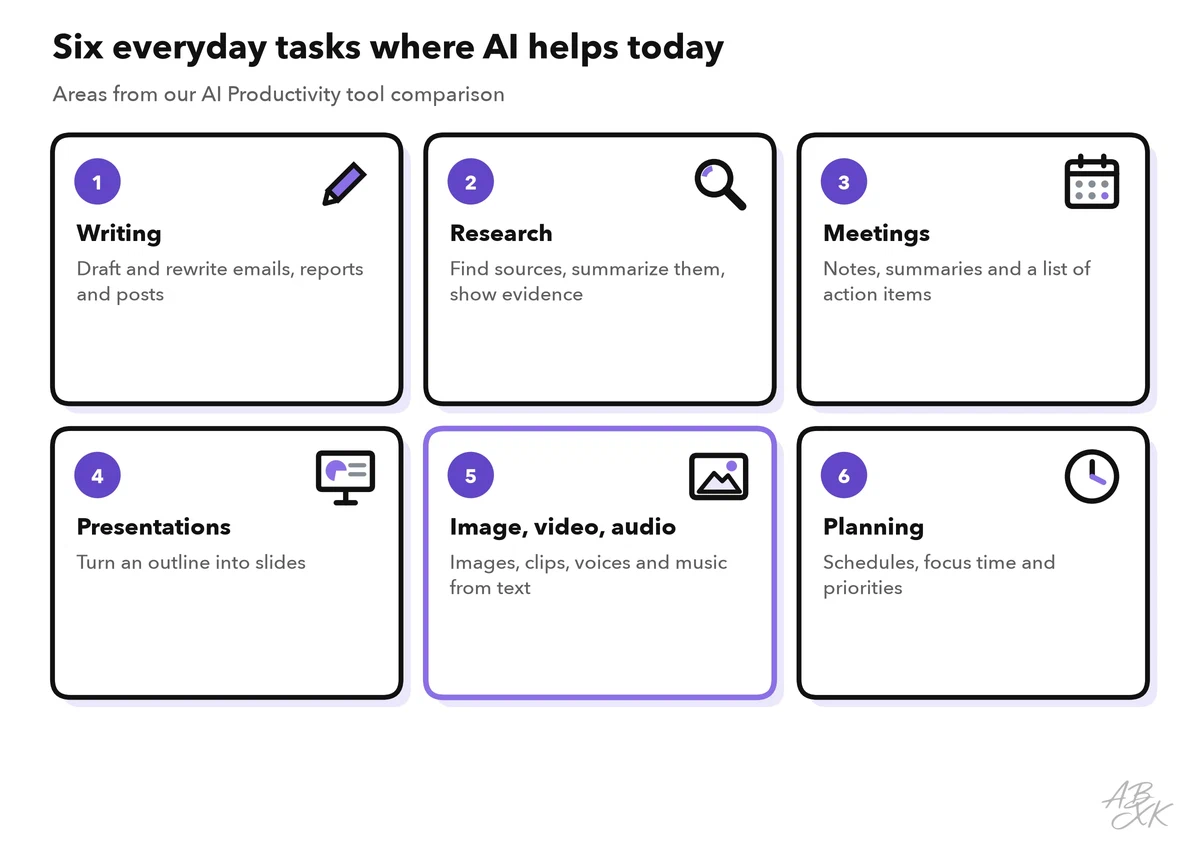
The table shows what the tool does in each area and what stays your job:
| Task | What the AI does | What you still do |
|---|---|---|
| Writing | Drafts emails, posts and reports; rewrites text in a different tone | Add facts, check names, decide what to send |
| Research | Finds sources and summarizes them | Open the sources and confirm the key claims |
| Meetings | Records, transcribes and summarizes; lists action items | Correct mistakes, assign tasks to people |
| Presentations | Turns an outline into slides with layout | Choose the message, fix the numbers |
| Image, video, audio | Creates pictures, short clips, voices and music from text | Check rights, quality and brand fit |
| Planning | Finds free time, blocks focus hours, sorts tasks | Set priorities and say no |
Here is one example tool for each area from our comparison. Each card leads to the tool’s entry with a short assessment:





Short descriptions from our tool comparison, based on the vendors' information — not tested by ABXK.
Where AI tools fail
AI tools are impressive, but they have clear weak spots. Knowing them is the most important skill at Level 0.
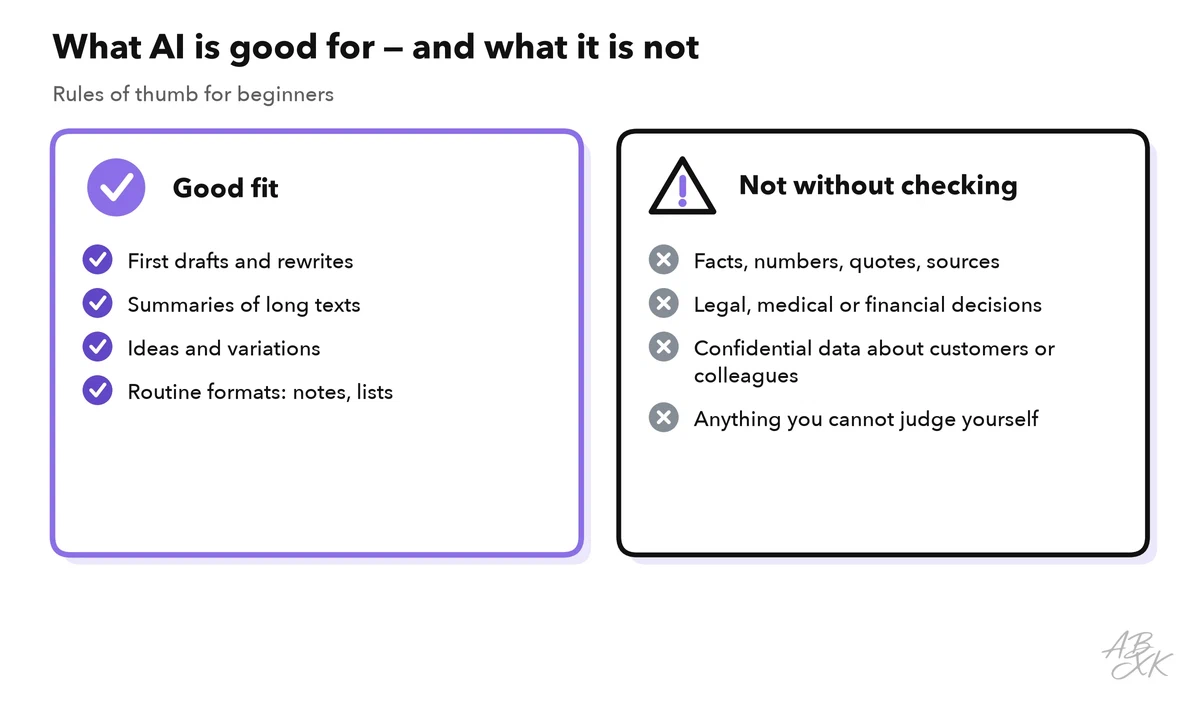
- Made-up facts. An LLM can invent a quote, a number or a source that looks real. Experts call this a hallucination. It happens most with specific details: dates, prices, laws, names.
- No knowledge of your situation. The tool does not know your company, your project or your customer unless you give it that information.
- Outdated knowledge. A model learns from data up to a certain date. Without a web search, it may not know recent events.
- Privacy. What you paste into a tool may be stored or used to improve it, depending on the provider and your settings.
- Rights and fairness. Generated images, voices and texts can raise copyright questions, and models can repeat biases from their training data.
A look at the tool market
The number of AI tools grows every month. Our comparison currently lists 66 tools for AI Productivity alone. Most of them focus on creating media — images, video, voice and music — while fewer tools cover writing and presentations.
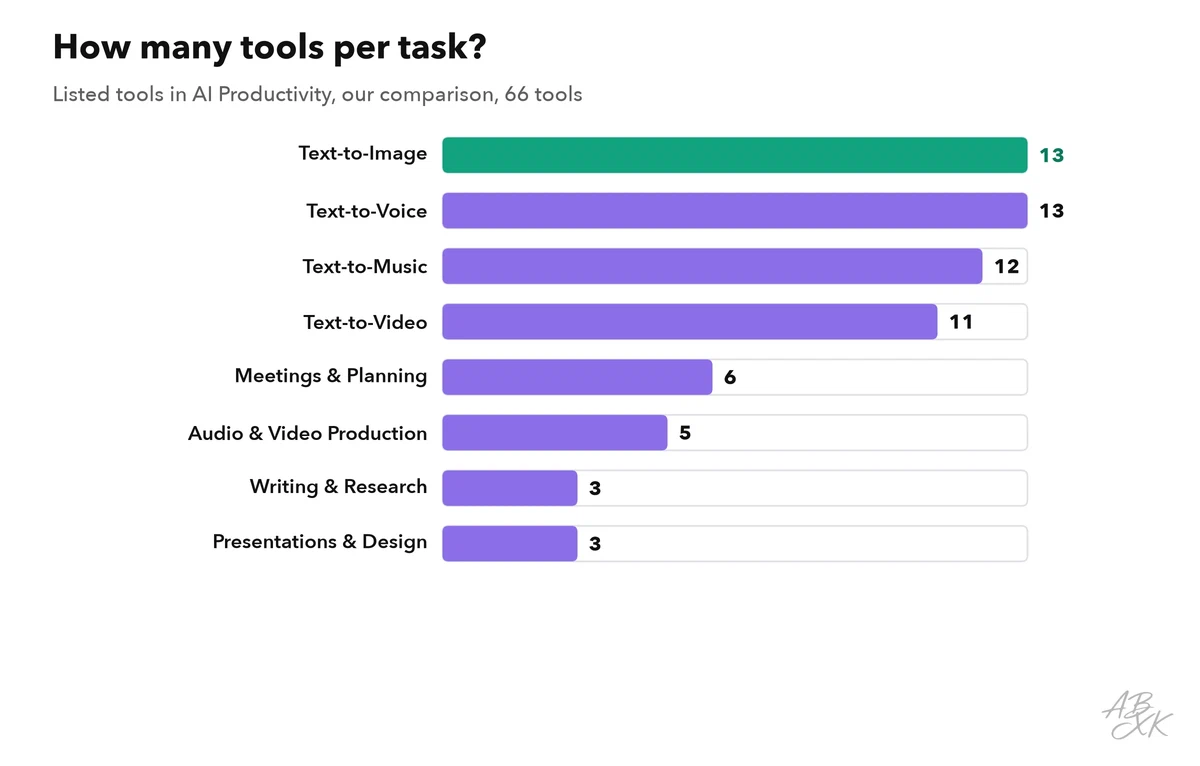
Two lessons follow from this. First, you do not need a special tool for every task: many general assistants, such as ChatGPT or Gemini, can write, summarize and create images in one place. Second, the specialized tools are useful when a task repeats often — for example, a meeting tool that joins every call automatically.
Behind most of these tools sit only a few large language models. You can see them, their release dates and their test results in our LLM database. Part 3 of this level explains what a large language model is in simple words.
Your first task in ten minutes
The best way to learn is to try one small, safe task. Follow these steps:
- Pick a low-risk task. Rewriting an email you already wrote is perfect: you know the content, so you can judge the result.
- Remove private details. Replace names and numbers with placeholders.
- Write a clear request. Say what you want, who will read it and how it should sound.
- Read the answer like an editor. Is anything wrong, missing or too long?
- Ask for changes. “Shorter”, “friendlier” or “in bullet points” are normal follow-up requests.
If the result is good, you have just saved a few minutes. If it is not, you have learned where the tool needs more guidance. Both outcomes are useful. Part 4 of this level shows you how to write your first prompt in more detail.
How to judge whether AI really helps you
Not every task gets faster with AI. A quick way to judge is to ask four questions after each try:
| Question | A good sign | A warning sign |
|---|---|---|
| Did it save time? | The draft needed only small edits | You rewrote most of it |
| Was it correct? | Facts matched your sources | You found invented details |
| Would you use it again? | The task repeats every week | It was a one-time task |
| Did it need AI at all? | Writing, summarizing or sorting that would take you long | A web search, a calculator or a template would have done it |
The last question also matters for the environment. Every AI request runs in a data center, and a chatbot answer uses far more energy than a web search or a calculator for the same simple question (Source: The Guardian, March 2026). One study estimates that AI systems caused 32.6 to 79.7 million metric tons of CO₂ in 2025 and used 312.5 to 764.6 billion liters of water, about as much as all the bottled water the world drinks in a year (Source: de Vries-Gao, Patterns, December 2025). Use AI where it saves real work, not for every small question.
Keep a short note of your answers for one or two weeks. You will quickly see which tasks are worth handing to AI and which ones you should keep doing yourself. In Level 4 of this path, we turn this simple habit into a real method to measure productivity gains.