

Chatbot, copilot, assistant, generator, notetaker: AI tools come with many names, and new ones appear every week. Many of them seem to do the same thing. Others look alike but do something completely different. As a beginner, it is hard to see where one type ends and the next begins.
This is part 2 of Level 0 in our learning path. In part 1, you saw which everyday tasks AI can help with. Now you will learn the main types of AI tools, a simple way to tell them apart, and how to decide whether one general assistant is enough for you.
Eight types of AI tools you will meet at work
Most AI tools for everyday office work belong to one of eight types. Seven of them are new products built around AI. The eighth is easy to overlook: the software you already use, which has added AI features.
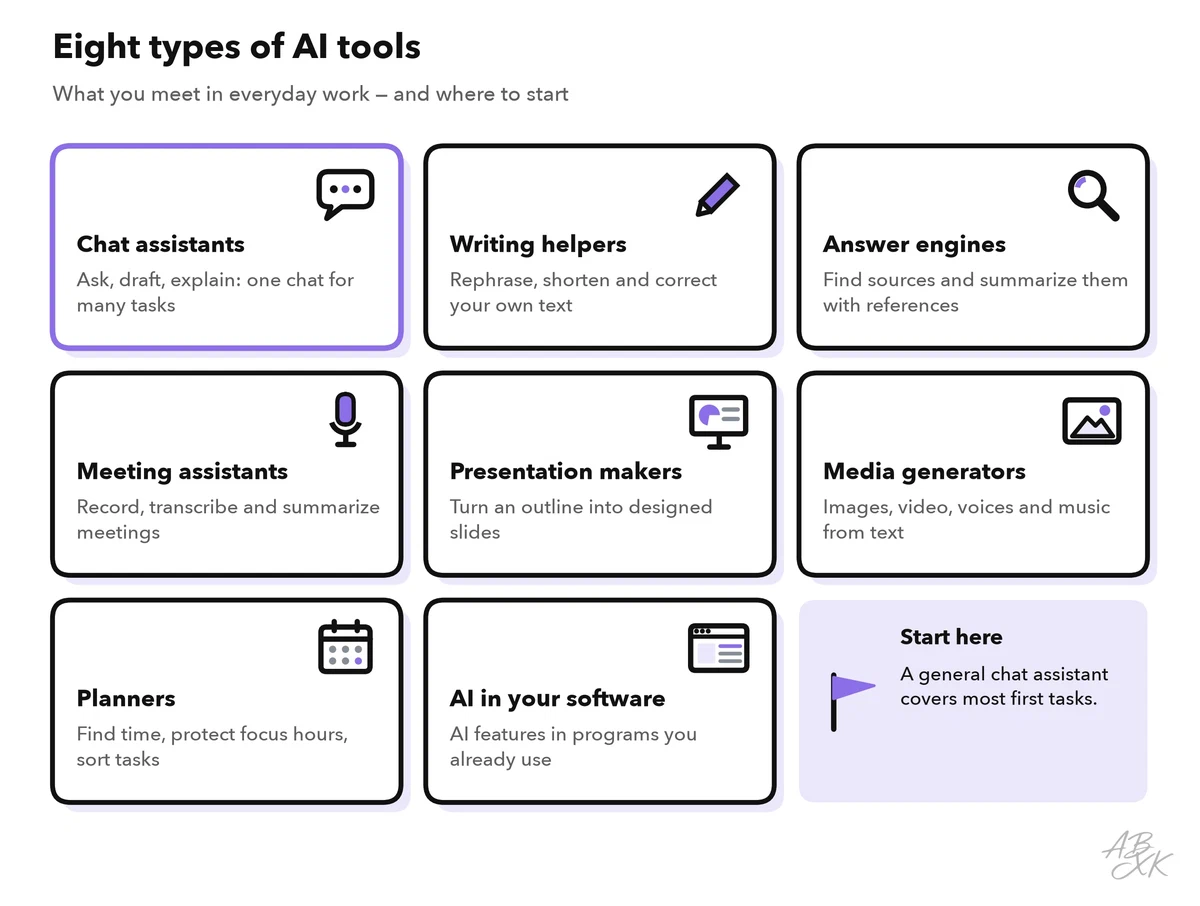
The most common type is the general chat assistant: a chat window where you type a request in normal language and get an answer. ChatGPT and Google Gemini are the best-known examples. They draft, summarize, explain and collect ideas, and many of them can also read files or create images. The other seven types are more focused. Each one does a specific kind of job, but often goes deeper than a chat window can.
Tell the types apart by input and output
Product names and marketing words do not help much. A better test is to ask two questions: What do I put in? What do I get out? The input is what you give the tool: a question, a document, a recording, your calendar. The output is what it gives back: text, slides, an image, a schedule.
| Type | You put in | You get out | Examples in our comparison |
|---|---|---|---|
| General chat assistant | A question or request, often with a file | Answers, drafts, summaries; often images too | ChatGPT, Google Gemini |
| Writing helper | Text you have written | The same text, rephrased, shorter or corrected | QuillBot |
| Answer engine | A research question | A summary with links to its sources | Consensus, Nouswise |
| Meeting assistant | The audio of a meeting | Transcript, summary, action items | MeetGeek |
| Presentation maker | A topic or an outline | Designed slides you can edit | Gamma, Beautiful.ai |
| Media generator | A description of the result | An image, video clip, voice recording or song | Midjourney, Runway, ElevenLabs, Suno |
| Planner | Your calendar and tasks | A schedule with focus time and meetings | Reclaim.ai |
| AI in your software | Your work inside that software | Drafts and summaries right where you work | ClickUp, Canva |
Two terms in the table need a short explanation. An answer engine is an AI-powered search tool. It searches sources — the web, research papers or your own documents — and summarizes what they say, with references. A media generator creates new images, video, voices or music from a text description, called a prompt. How to check the sources of an answer engine is part of research with AI in Level 1.
Here are six of these tools from our comparison. Each card leads to the tool’s entry with a short assessment:






Short descriptions from our tool comparison, based on the vendors' information — not tested by ABXK.
One detail can confuse you in our comparison: ChatGPT and Google Gemini are listed in the Text-to-Image area, because that is where they compete with specialist image tools. Both are still general assistants that also write, summarize and answer questions.
When a general assistant is enough — and when a specialist helps
For your first steps, one general chat assistant covers a lot: drafting an email, summarizing a long document, explaining a term, collecting ideas, even creating a simple picture. If your company has approved an assistant, start there. A specialist is a tool built for one kind of task, such as meetings or slides. It is worth a look when your task passes one of three tests:
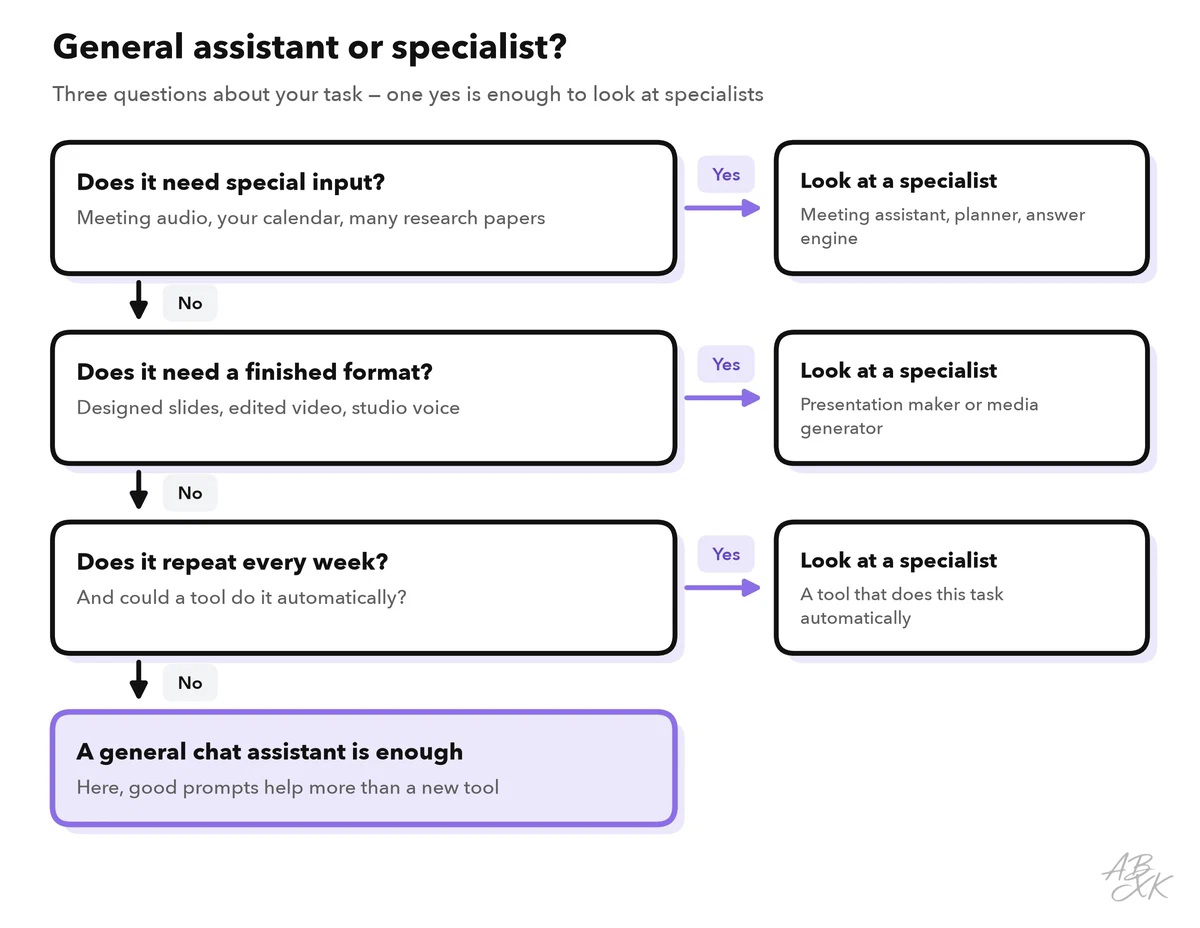
- Special input. The tool needs something that a chat window does not see: the audio of your meetings, your calendar, a large collection of research papers.
- A finished format. You need more than text: designed slides, an edited video, a voice recording in studio quality.
- Repetition. The task comes back every week, and a specialist can do it automatically — for example, a meeting assistant that records and summarizes every call.
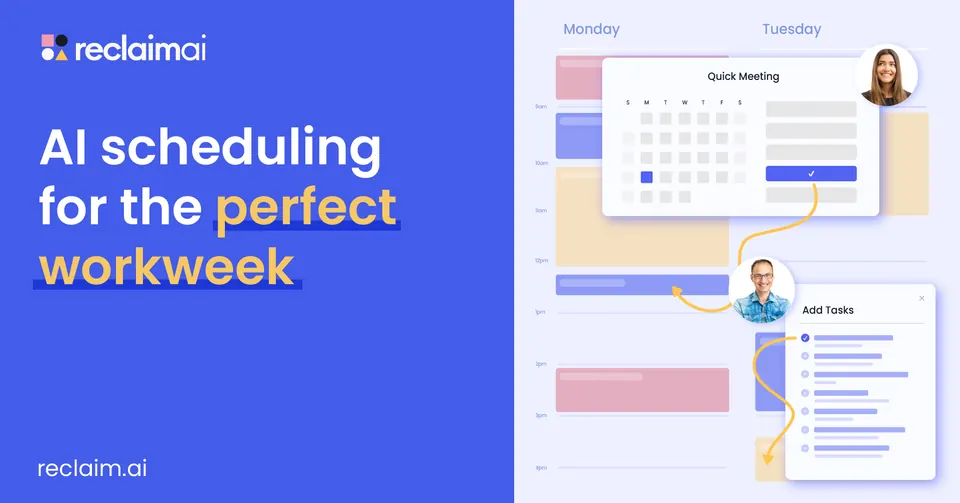
Planners show the first test well. An AI calendar works directly in your calendar. According to the vendor, Reclaim.ai schedules tasks, meetings and breaks automatically and protects focus time. With a plain chat window, you would have to copy your schedule in and out by hand.
Specialists also have costs that are easy to miss: one more account, one more place that stores your data, and one more tool to learn. That is why the order matters. Start general, and add a specialist only when a task passes one of the three tests. Part 5 of this level turns this into a checklist for choosing your first tool.
AI at the core or AI as a feature
Our comparison marks the AI role of every tool. “AI at the core” means the product is built around an AI model: without AI, there would be no product. “Software with AI features” means an existing product, such as a project tool or a design app, that has added AI functions.
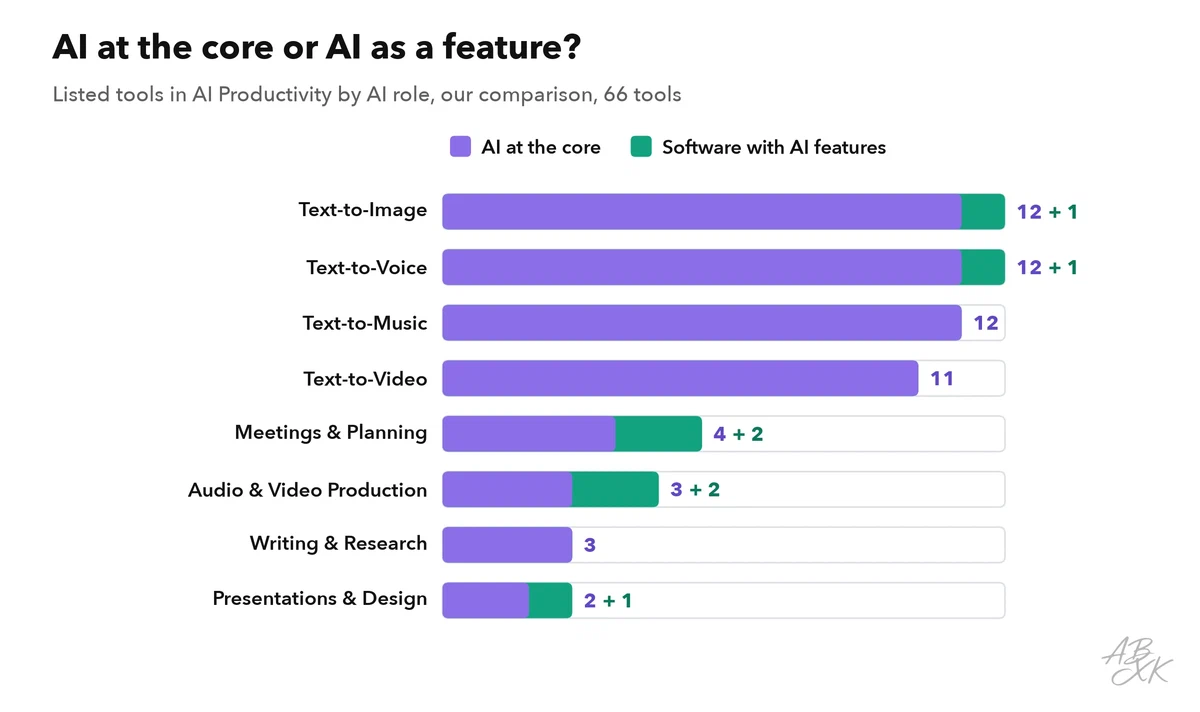
The chart shows a clear pattern. Almost all media generators are built around AI. In meetings and planning, presentations, and audio and video production, you also find established software that has added AI — for example ClickUp for project work or Prezi for presentations.
This matters for your choice. Before you sign up for something new, check the AI features of the software you already use. Your company may have approved it already, and it works with your existing files. On our tools page, you can filter all tools by AI role and compare up to four of them side by side.
Exercise: sort your own tasks by type
The types become useful when you apply them to your own week. This exercise takes about ten minutes and gives you a personal map of where AI tools could help.
Here is how three tasks might look:
| Task | Input | Output | Type | Verdict |
|---|---|---|---|---|
| Weekly status email | Notes from three meetings | A short email to the team | General chat assistant | General is enough |
| Customer calls | Audio of daily calls | Summaries and to-dos | Meeting assistant | Specialist: repeats daily |
| Quarterly review deck | Numbers and key messages | 12 designed slides | Presentation maker | Specialist: finished format |
Now look at your own list. If several tasks point to the same type of specialist, that type deserves a closer look. If most of them land on the general chat assistant, you do not need more tools yet. You need better prompts, and part 4 shows how to write your first prompt. A useful rule of thumb: a specialist should save you time on at least one task every week. Otherwise, the extra account and the time to learn it are not worth it.