

Most weak AI answers have a simple cause: the prompt left out something the assistant needed. A prompt is the request you type into an AI tool. Strong prompts follow a pattern that you can learn in an afternoon. It has four building blocks: role, task, context and format.
This is part 1 of Level 1 in our AI Productivity learning path. In Level 0, you wrote your first prompt. Now you will learn what each block does, when you need it and how to combine the blocks. The exercises at the end help you practice with tasks from your own work.
Four questions every good prompt answers
Think of a prompt as a short briefing for a new colleague. A good briefing answers four questions. Who should the colleague be for this job? What exactly should they do? What do they need to know? And what should the finished work look like?
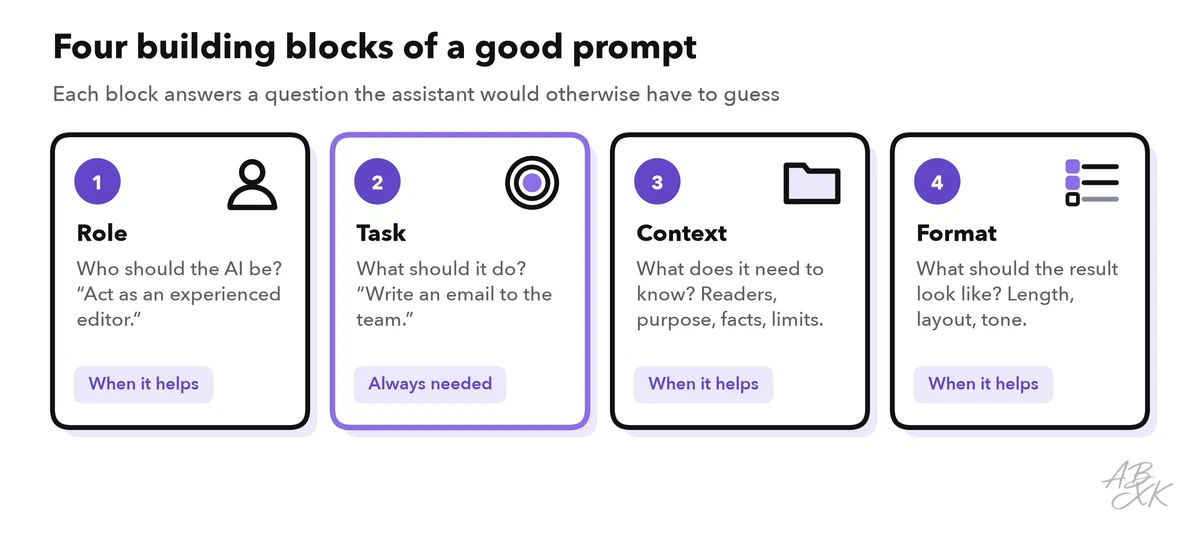
Each block solves a different problem. The table shows what typically goes wrong when one of them is missing:
| Block | Question it answers | Without it, you often get |
|---|---|---|
| Role | Who should the AI be? | A neutral, one-size-fits-all voice |
| Task | What should it do? | An answer to a question you did not ask |
| Context | What does it need to know? | Generic text that fits nobody |
| Format | What should the result look like? | The wrong length, layout or tone |
You do not need all four blocks every time. The task is the only block you always need. The other three are tools you add when the result matters.
Task: one clear verb and a goal
The task tells the assistant what to do. Start with a clear verb: write, rewrite, summarize, list, compare, explain, translate or check. Then name the object and, if you can, the goal.
- Vague: “Something about our new vacation rule.”
- Clear: “Write an email that explains our new vacation booking rule to the team.”
Give one task per prompt while you are learning. If a job is big, split it. Ask for an outline first, check it, and then ask for the full text. Small steps are easier to check, and a mistake in step one does not spread through the whole result.
Context: what the assistant cannot know
The assistant knows a lot about the world, but nothing about your situation. Context is the information it needs for this specific job: who will read the result, why you need it, which facts it must use and what limits apply.
- Audience: “for new team members without a technical background”
- Purpose: “they should book their vacation in the new HR tool from next month on”
- Facts: “requests now need two weeks’ notice; the paper form is no longer used”
- Limits: “do not mention overtime rules, they are still under discussion”
When you paste a longer text, separate it from your instructions. Use a delimiter: a simple marker such as triple quotes (""") or a line with ### that shows where the pasted text starts and ends. This helps the assistant tell your instructions apart from the material it should work on.
Context is also where private data slips in. Replace names, customer details and internal figures with placeholders such as “Customer A” before you paste anything into a tool your company has not approved.
Format: describe the finished result
The format tells the assistant what the result should look like. If you skip it, the assistant guesses, and its guess is often too long. Be specific about:
- Length: “under 150 words”, “three sentences”, “one page”
- Structure: “bullet points”, “a table with three columns”, “a subject line and a short body”
- Tone: “friendly but not casual”, “neutral and factual”
- Language: “US English”, “plain words, no jargon”
- What to leave out: “no introduction”, “no emojis”
The strongest format instruction is often an example. Paste a short sample of the style you want and add: “Follow the structure and tone of this example, but not its content.” One good example can replace many words of description. Level 2 shows how to work with several examples and other prompt patterns that work.
Role: set the point of view
A role tells the assistant from which point of view to work: “You are an experienced editor”, “Act as a patient teacher for beginners” or “Act as a skeptical customer who reads this offer.” The role changes the choice of words, the tone and what the assistant pays attention to.
A role does not add knowledge, though. Calling the assistant a lawyer does not make its legal statements correct. Use roles to set a perspective, not to borrow authority. They help most when you want feedback: “Act as a busy manager and tell me what is unclear in this report.”
Putting the blocks together
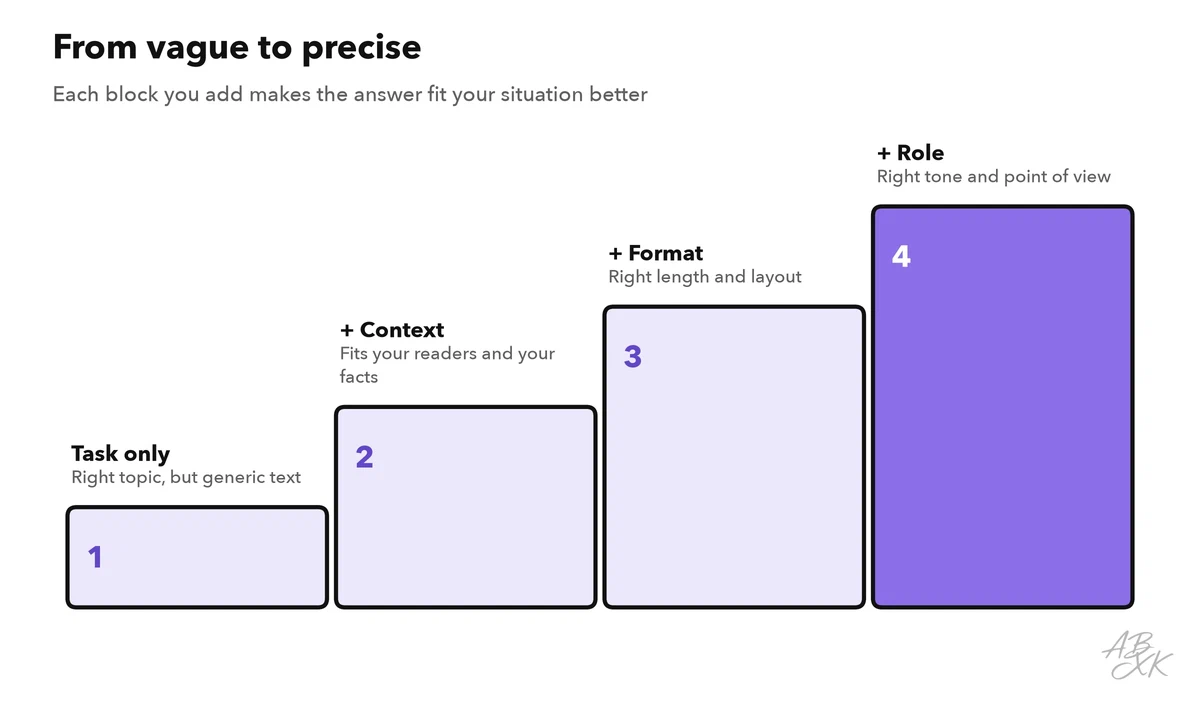
Each block narrows down what the assistant can give you. The task alone produces a usable but generic text. Every block you add makes the answer fit your situation better.
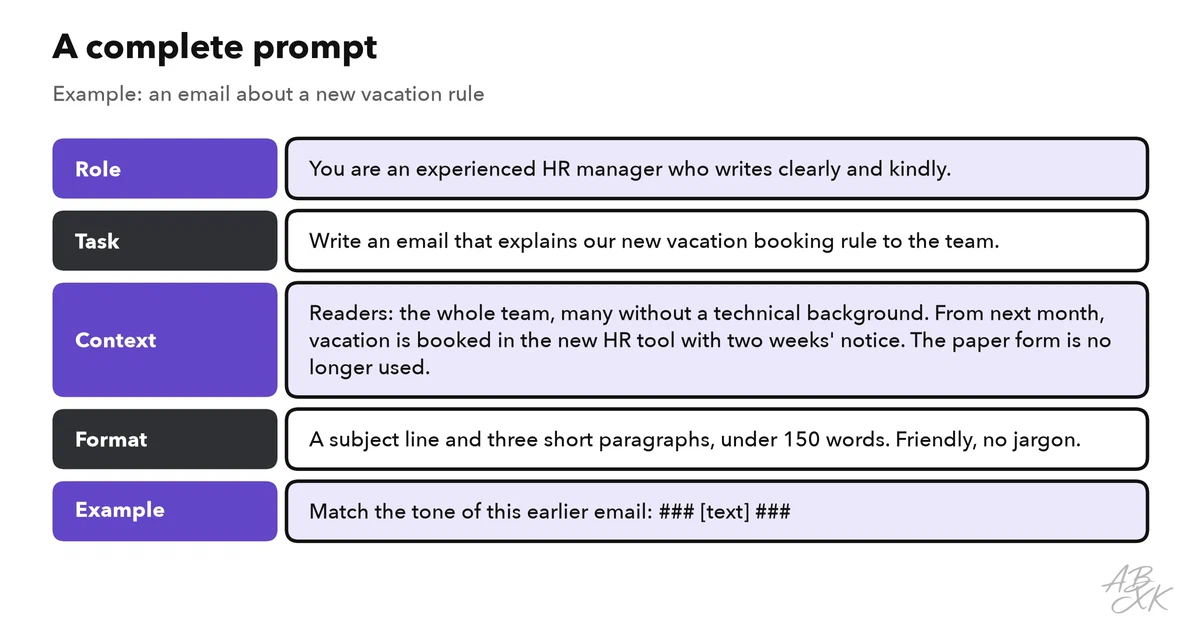
Here is a complete prompt with all four blocks and an example. The order is a habit, not a rule. What matters is that nothing important is missing.
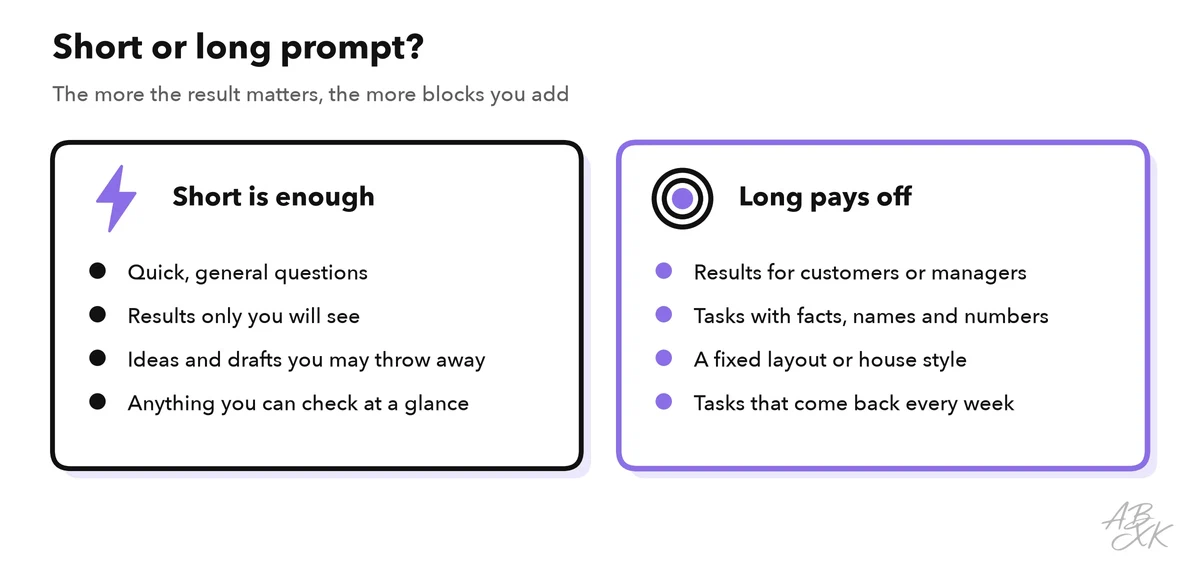
Do all prompts have to be this long? No. A short prompt is fine for quick, general questions, such as “Explain what a pivot table is in two sentences.” Longer prompts pay off when the result goes to other people, when details matter or when the task comes back every week. Save your best prompts for those repeating tasks. Level 3 shows how to turn them into reusable prompt templates.
The four blocks are not tied to one product. You can use them in ChatGPT, Gemini or any other chat assistant, whichever model runs behind it. Our LLM database lists 343 language models if you want to see what is inside. Specialized tools often turn some blocks into buttons: in a writing tool, you may pick the tone from a menu instead of typing it.



Short descriptions from our tool comparison, based on the vendors' information — not tested by ABXK.
Exercises: from vague to complete
Practice with three typical requests. For each one, decide which blocks are missing. Then compare your version with ours.
| Vague prompt | Missing | A complete version |
|---|---|---|
| “Write an agenda.” | Context, format | “Write an agenda for a 45-minute kickoff meeting for our website relaunch. Attendees: marketing, IT and an outside agency. Goals: agree on the timeline and name one contact person per team. A numbered list with times.” |
| “Plan our team day.” | Context, format | “Suggest a schedule for a half-day team event for 12 people. Two team members use wheelchairs, so every activity must be accessible. A table with three columns: time, activity, what to book.” |
| “Check my slides.” | Role, context, format | “Act as a customer who sees our product for the first time. Read the slide text below and list the three points that are hardest to understand, each with a simpler wording. Slides: ### [text] ###” |
Then try it with your own work:
- Pick a real task from this week.
- Write it as one sentence with a clear verb.
- Add two or three lines of context.
- Add the format: length, structure and tone.
- Add a role if you want feedback or a special point of view.
- Run the one-sentence version and the full version, and compare the two answers.
When you compare the answers, ask yourself two questions. Which version needed fewer edits? And which block made the biggest difference for this kind of task? The answers tell you where to put your effort the next time.