

A product launch needs a blog article, social images, a short clip, a voiceover and some background music. With AI, each of these takes minutes. Without a plan, you end up with a pile of assets that do not fit together: an image in the wrong colors, a voice that mispronounces the product name, a music track nobody checked for its license.
This is part 3 of Level 4 in our AI Productivity path. Multimodal means working with several media types — text, image, video and audio. A content pipeline is a fixed sequence of stages that turns one idea into all of them. Level 3 covered single steps such as text-to-video and AI voice and music. Here you connect them: one source text, style guides, asset records, review gates, rights and disclosure, automation and metrics.
Start from one source of truth
Every asset in the pipeline comes from one approved text, the master script. It holds the message, the key facts and claims, all names (with their pronunciation), and the call to action. The article is the long version of the master script. The social posts are excerpts. The video follows a shot list based on it, and the voiceover is its spoken version.
Give the master script a version number, such as v1.2. Every asset records which version it came from. If a fact changes, you correct it in one place and know exactly which images, clips and audio files need a new version. Without this, the corrected price ends up in the article while the old one stays in the video.
Stages and review gates
A review gate is a fixed checkpoint where work stops until a named person approves it. Put gates before expensive steps. Checking a claim in a script takes a minute. Finding it in a finished video means a new voiceover, a new edit and a new export.
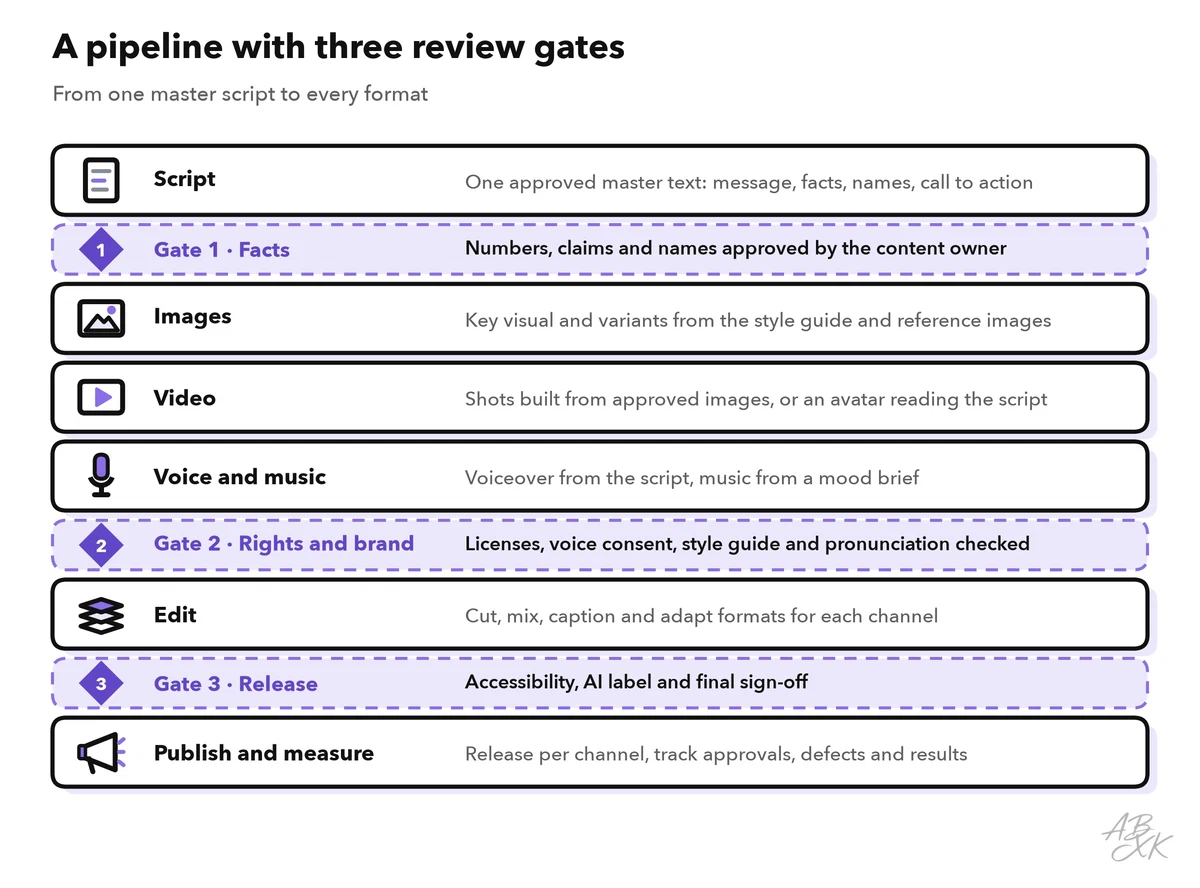
| Gate | Who approves | What is checked | Stop if |
|---|---|---|---|
| 1 · Facts | Content owner | Every number, claim, product name and date in the master script | A claim has no source |
| 2 · Rights and brand | Brand or legal contact | Style guide, license terms of each tool, voice consent, music license, no real people or third-party logos | Any right is unclear |
| 3 · Release | Editor | Captions, alt text, AI label, pronunciation of names, final check on a phone | Any check fails |
The order of the stages matters too. Approve the images before you make video from them: image-to-video — animating an approved still image — usually gives you much more control over faces, products and colors than generating a clip from text alone. Record the voiceover from the approved script before the final edit, because the cut follows the speech, not the other way round.
Style guides keep five media consistent
AI tools create a new look with every run unless you pin it down. A style guide per medium does that. It does not need to be long — one page per medium is enough, as long as everyone in the pipeline uses it.
| Medium | What the guide fixes | Example rule |
|---|---|---|
| Text | Tone, terms, sentence length | “We say customers, never users. Sentences under 20 words.” |
| Image | Colors, light, composition, reference images | “Soft daylight, purple accent, three reference images attached.” |
| Video | Formats, shot length, camera movement | “9:16 and 16:9, shots of three to five seconds, no fast zooms.” |
| Voice | One voice, speed, pronunciation list | “Product name Nordlicht: NORD-licht, stress on the first part.” |
| Music | Mood, tempo, instruments, loudness | “Calm electronic, no vocals under speech, mixed well below the voice.” |
Many image and video tools can take reference images — pictures that show the style or the character you want to keep. Use the same references for every asset of a campaign, and save your best prompts as templates. Even then, check consistency by eye: models change between versions, and the same prompt can look different next month.
Keep an asset record for every file
Every generated file needs a short record. It tells you later where the file came from, whether you may use it, and how to make a new version. Without the prompt and the settings you cannot recreate an asset — and because models change, sometimes not even with them.
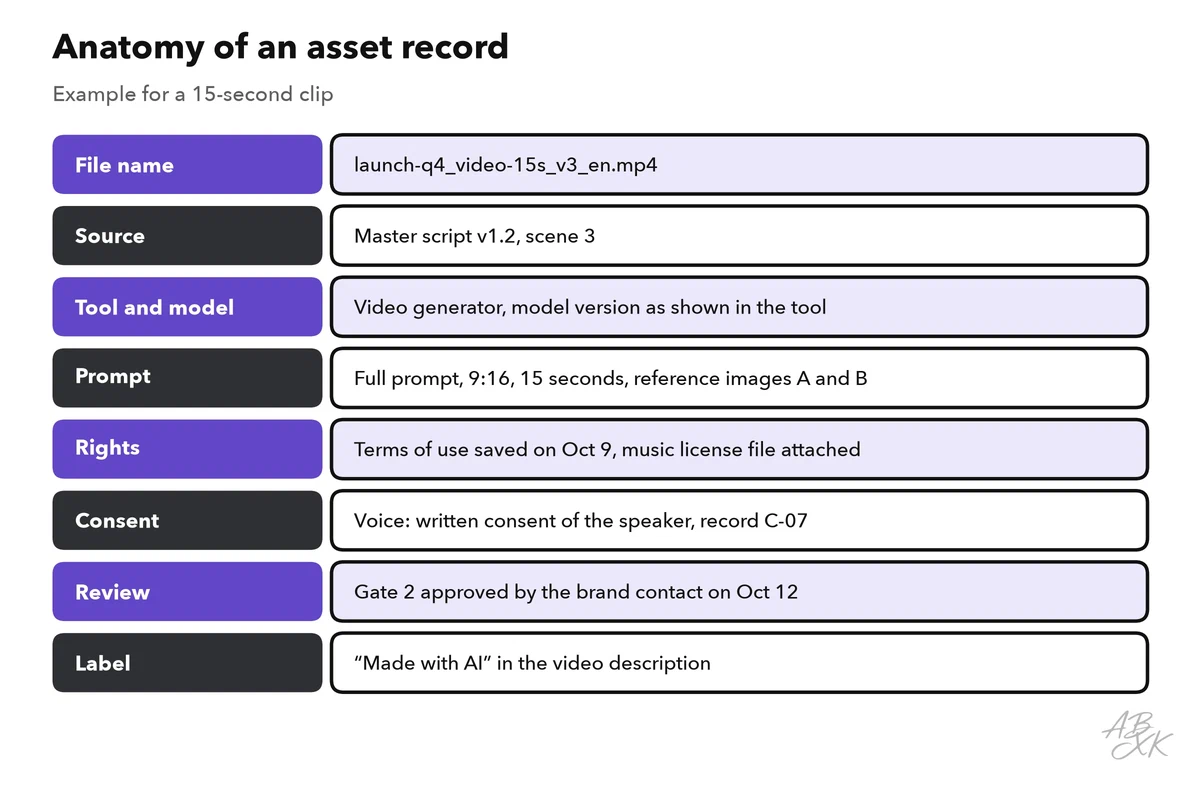
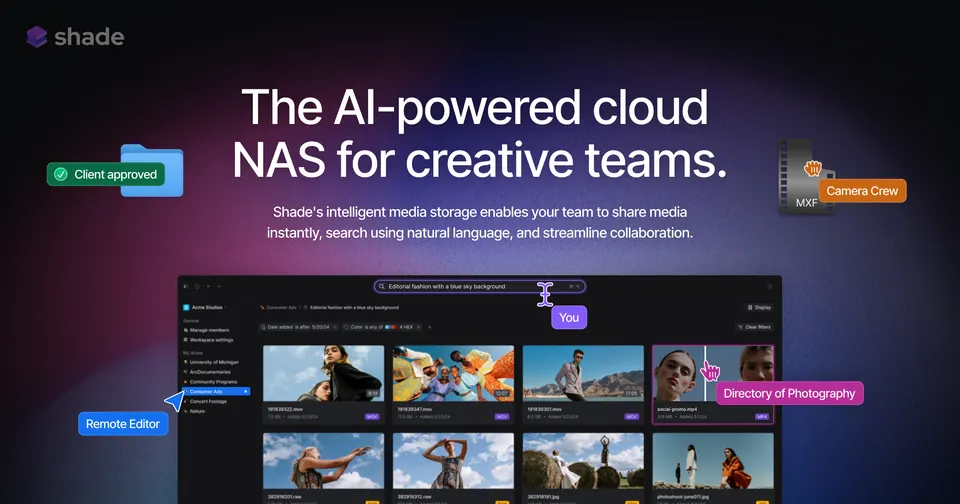
A fixed file name helps everyone find things: project, asset type, length, version and language, for example launch-q4_video-15s_v3_en.mp4. Store records and files together. Media teams often use a shared storage with review functions for this.
Rights, consent and disclosure
Generated content is quick to make and easy to misuse. Five rules cover most risks:
- Read the terms. Whether you may use outputs commercially depends on the tool and often on the plan. Record the terms on the day you create the asset.
- Voices need consent. Clone a voice only with the speaker’s written consent, and keep that consent with the asset record.
- Music needs a license that fits. Check that it covers your channel and your use, for example paid ads.
- No real people or third-party logos without permission — not even in a background.
- Label where required. YouTube asks creators to disclose realistic content that was made or altered with synthetic media, but not when AI only helped with production, such as drafting a script or creating captions. (Source: YouTube, “How we’re helping creators disclose altered or synthetic content”, 2024, blog.youtube) The EU AI Act also contains transparency duties for AI-generated and manipulated content such as deepfakes (Article 50).
Technical labels help too. Content Credentials are based on the open C2PA standard and attach information about a file’s origin to the file itself. Adobe, for example, says that Firefly adds them to the content it generates.
Automate the routine, keep people at the gates
Automation pays off for steps that repeat for every asset and are easy to check. Judgment stays with people.
| Automate | Keep human |
|---|---|
| Transcripts and captions | Facts and claims in the master script |
| Resizing and reformatting for each channel | Approval at every gate |
| First drafts of translations and dubbing, for review | Consent of speakers and people shown |
| File names and asset records | Final watch and listen on a real device |
| Collecting assets for a review round | Anything with legal effect |
Automation fails in predictable places. Automatic captions and dubbing stumble over product names and technical terms, so give them your pronunciation list or check those words first. Automatic resizing can cut off text or faces at the edge of the frame. A batch job that renames files can quietly overwrite the approved version. Test every automation on a few assets before you trust it with a whole campaign.
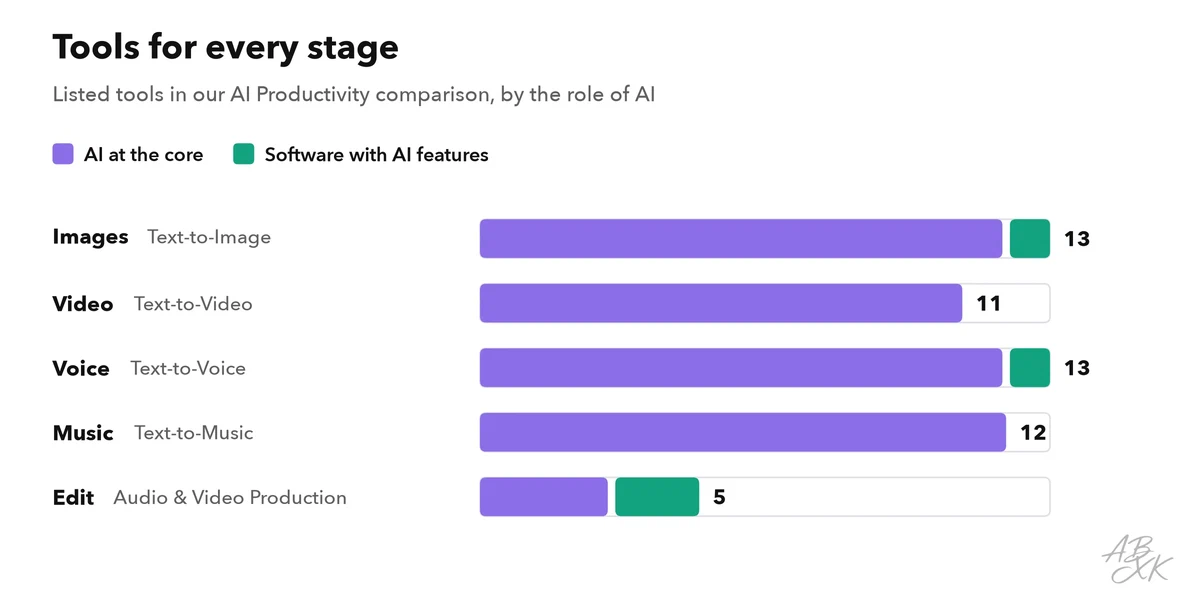
Our comparison lists 13 text-to-image tools, 11 text-to-video tools, 13 text-to-voice tools and 12 text-to-music tools. The chart shows them by pipeline stage. For a first choice per stage, our ABXK Rankings of text-to-image and text-to-video generators show which tools lead right now.
One tool per stage is enough to start. These five cover images, video, voice, music and the final edit:





Short descriptions from our tool comparison, based on the vendors' information — not tested by ABXK.
Worked example: one feature, five formats
A software team launches an offline mode for its note-taking app. This is how the pipeline runs:
- Master script. The product manager writes 300 words: what offline mode does, three facts, the product name with its pronunciation and a call to action. At Gate 1, the support lead confirms all three facts.
- Article. A writing assistant turns the master script into a blog article. The editor compares it with the master script: no new claims are allowed.
- Images. Three variants of one key visual in 1:1, 16:9 and 9:16, made with the reference images from the style guide.
- Video. A 15-second clip animates the approved key visual. The generated video contains no text; titles come later in the edit, where they are easy to correct.
- Voice and music. A short voiceover from the approved script and a calm music track from the mood brief. At Gate 2, the license and the voice consent go into the asset records.
- Edit and release. Captions, the AI label in the description and one last check on a phone. Gate 3, then publish.
If a fact changes after Gate 1 — the release date moves by a week, for example — the asset records show at once which files mention the date.
Measure where the pipeline breaks
A pipeline is a repeated task, so you can measure it like any other AI task — see how to measure AI productivity gains. These metrics show where it breaks:
| Metric | What it tells you | Warning sign |
|---|---|---|
| First-pass approval per stage | Which stage needs a better prompt or style guide | Fewer than half of the assets of a stage pass their gate the first time |
| Revision rounds per asset | Where time and money go | One stage keeps needing three or more rounds |
| Defects per gate and after release | Whether your gates catch errors early | Errors found after publishing that Gate 1 should have caught |
| Lead time from idea to release | Speed of the whole pipeline | Assets wait days at a gate |
| Consistency score | Brand fit across media, rated on a short rubric | Scores drop after a tool or model update |
| Audience results | Whether the content works, such as completion rate or clicks | High output, flat results |