

After every meeting, someone should write down what was decided and who does what next. Often nobody does, and decisions get lost. AI meeting assistants record the conversation, turn it into text and draft a summary with action items. They save real time, but only if you handle consent, check the details and turn the summary into tasks that people actually do.
This is part 4 of Level 1 in our AI Productivity learning path. You will learn how meeting assistants work, what to tell participants and where the tools make mistakes. You will also get a notes template that people read and see how to move action items into your task tool.
How a meeting assistant works
Most meeting assistants follow the same five steps. Knowing them helps you see where errors come from.
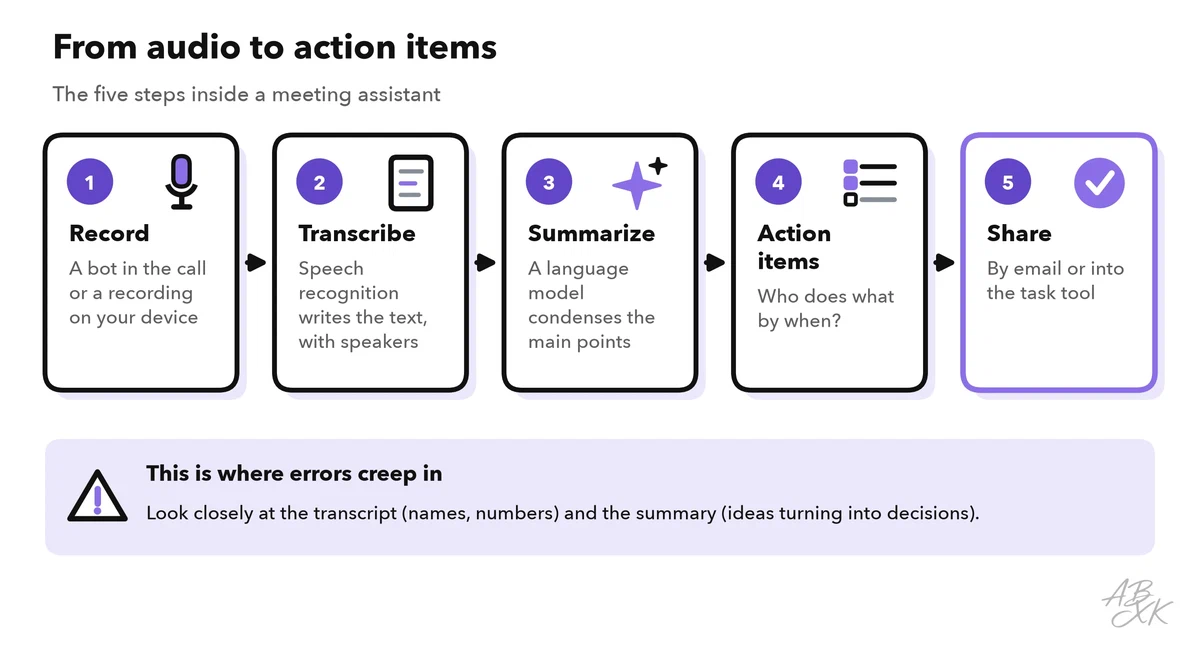
- Record: The tool joins your video call as an extra participant, often called a bot, or it records on your computer or phone. Some tools also accept an uploaded audio file.
- Transcribe: Speech recognition turns the audio into a transcript, the written text of everything that was said. Speaker labels show who said what.
- Summarize: A language model condenses the transcript into the main points.
- Extract action items: The model lists tasks, ideally with an owner and a due date.
- Share: The notes go out by email or into other tools, such as a project management app.
Our comparison lists several tools for meetings and planning. According to the vendors, MeetGeek records and transcribes meetings and shares summaries and action items, and Spiky.ai analyzes meetings and conversations for sales, customer success and HR. Castmagic turns audio recordings into transcripts, summaries and content. ClickUp is a project and task tool where action items can end up.




Short descriptions from our tool comparison, based on the vendors' information — not tested by ABXK.
Consent and privacy come first
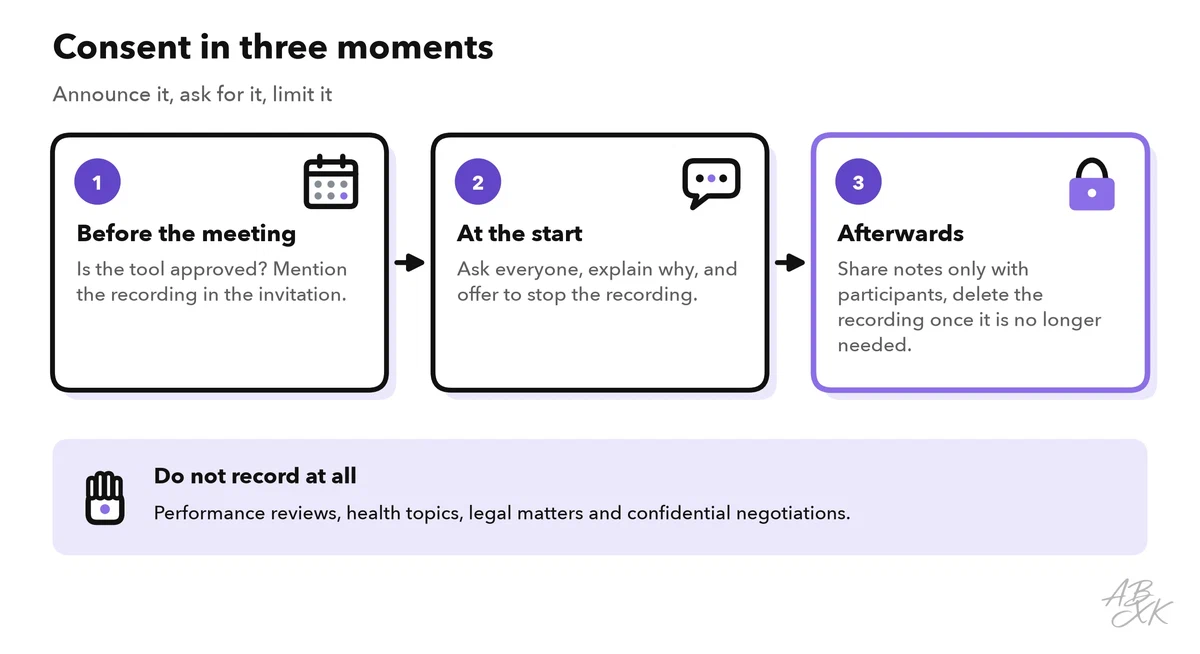
A recording captures everyone’s voice and words, not just yours. So the first rule is simple: tell people before you record, and ask if they agree.
Laws differ from place to place. In some countries and US states, everyone in a conversation must agree to a recording. In Germany, for example, recording what someone says in a non-public conversation without permission is a criminal offense (Section 201 of the German Criminal Code). In the EU, a recording and its transcript usually contain personal data, so the GDPR (General Data Protection Regulation) applies. Before you use a meeting tool at work, check your company’s rules and use only approved tools.
Some meetings should not be recorded at all: performance reviews, health topics, legal matters and confidential negotiations. In these cases, take notes by hand. You can still use AI later on your own notes, after you remove names and sensitive details.
Where meeting AI makes mistakes
Speech recognition and summaries are good, but not perfect. Errors usually hit exactly the details that matter most. The table shows typical problems and how to catch them:
| Problem | Example | How to catch it |
|---|---|---|
| Misheard names | “Meyer” becomes “Mayer”, a product name turns into a common word | Check every name against the participant list |
| Numbers and dates | “fifteen” becomes “fifty”, “the 13th” becomes “the 30th” | Compare numbers with slides or your own notes |
| Wrong speaker | A statement is assigned to the wrong person | Check speaker labels for every key statement |
| Idea becomes decision | “We could try X” turns into “We decided on X” | Compare decisions with what was really agreed |
| Lost context | Irony, a side remark or a chat message is missing | Ask participants to confirm the summary |
| Wrong owner or date | A task goes to the wrong person or gets a made-up deadline | Confirm owners and dates before you send |
Good audio reduces many of these errors. Ask people to use a headset, to speak one at a time and to say their name when they join by phone. If your tool has a setting for custom vocabulary, add names and product terms there.
A notes template that people read
A default summary is often long and vague. A fixed structure makes the notes useful, and readers learn where to look. Use the same five sections for every internal meeting:
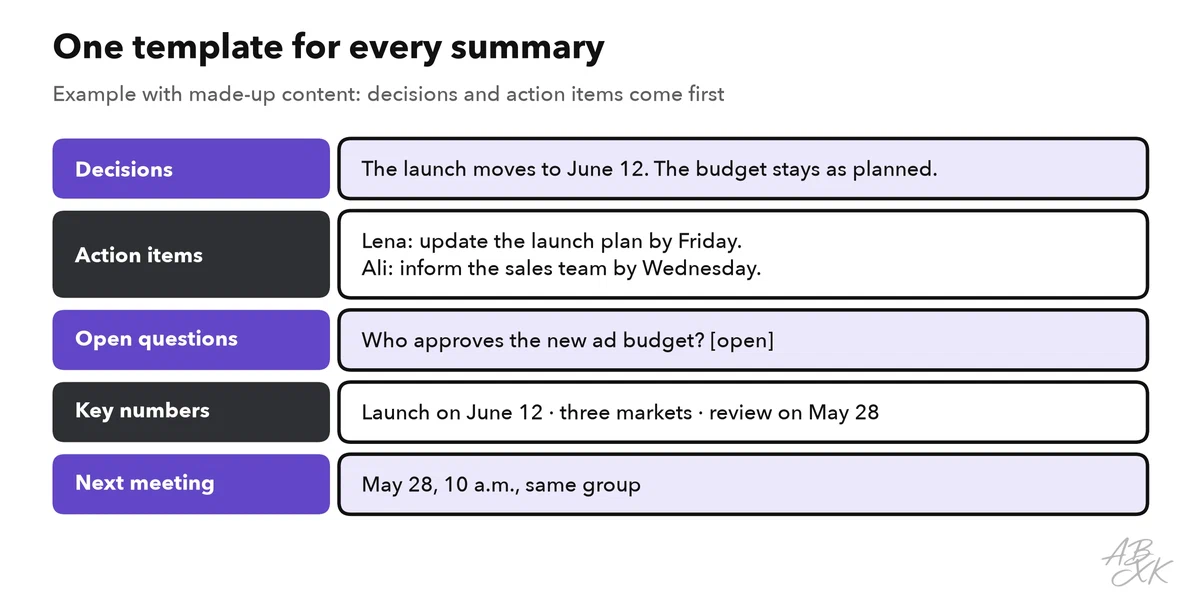
If your tool supports templates, set this structure up once. If not, give the transcript to a chat assistant with this prompt:
“Summarize the transcript below with these sections: Decisions, Action items (owner, task, due date), Open questions, Key numbers and dates, Next meeting. Use only what was said. If an owner or a date is missing, write [open]. Maximum 200 words. Transcript: ### [transcript] ###”
The [open] marker is important. It shows you which tasks have no owner yet, instead of letting the AI guess one.
From notes to action items people actually do
A summary only helps if the tasks in it get done. Vague action items, such as “follow up on the budget”, rarely do. A clear action item has four parts: one owner, a concrete task that starts with a verb, a due date and a clear sign of when it is done.
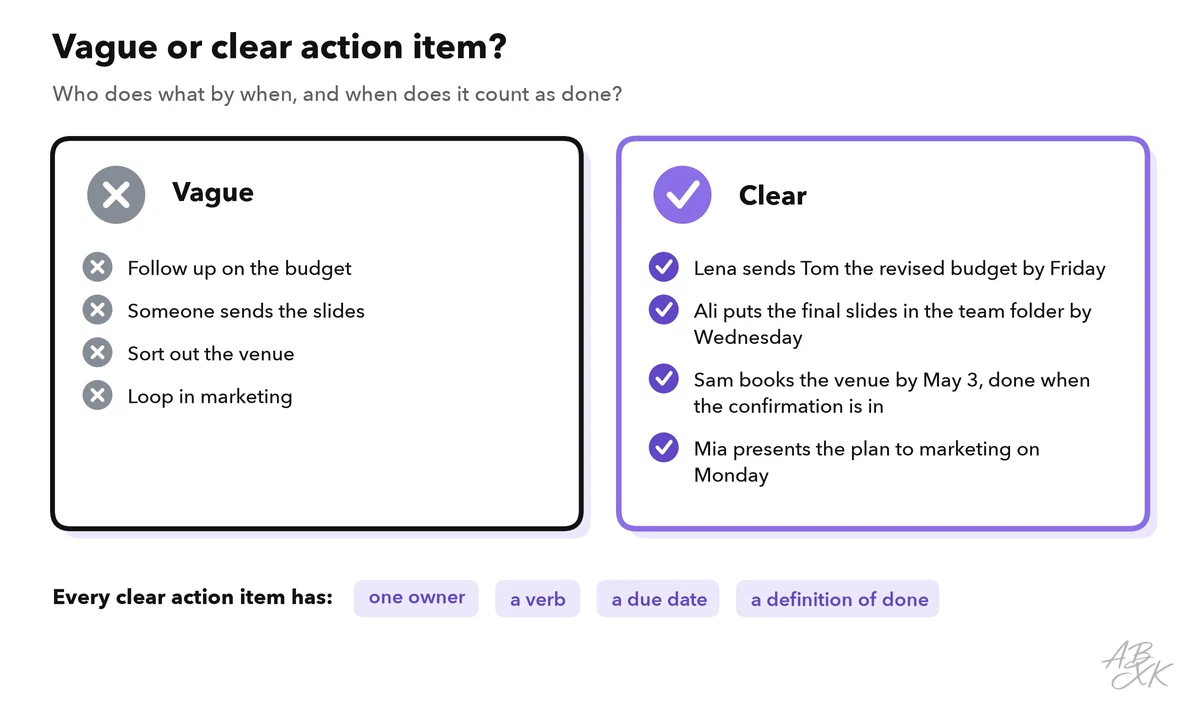
Then move the tasks to where your team works. Some meeting tools can send action items straight into a project tool; check the list of integrations. Copying them by hand works too. What matters is that the tasks do not stay in an email. Send the summary within one day and ask participants to correct mistakes. After that, it counts as the record of the meeting.
Level 2 shows how to plan your week around these tasks. Level 3 builds a full personal AI workflow that starts with meeting notes and ends with a finished report.
Try it in your next meeting
Pick an internal meeting with people who are comfortable with AI tools. Then follow these steps:
- Check that your company allows the tool, and mention the recording in the invitation.
- Ask for consent at the start, using the words from the example above.
- Take your own short notes as usual. You need them for the comparison.
- After the meeting, run the summary with the five-section template.
- Check names, numbers, decisions, owners and dates.
- Move the action items into your task tool and send the summary.